
Advanced Features
sftool-gui provides advanced users with deep customization options, supporting custom hardware drivers and fine-grained control of connection behaviors.
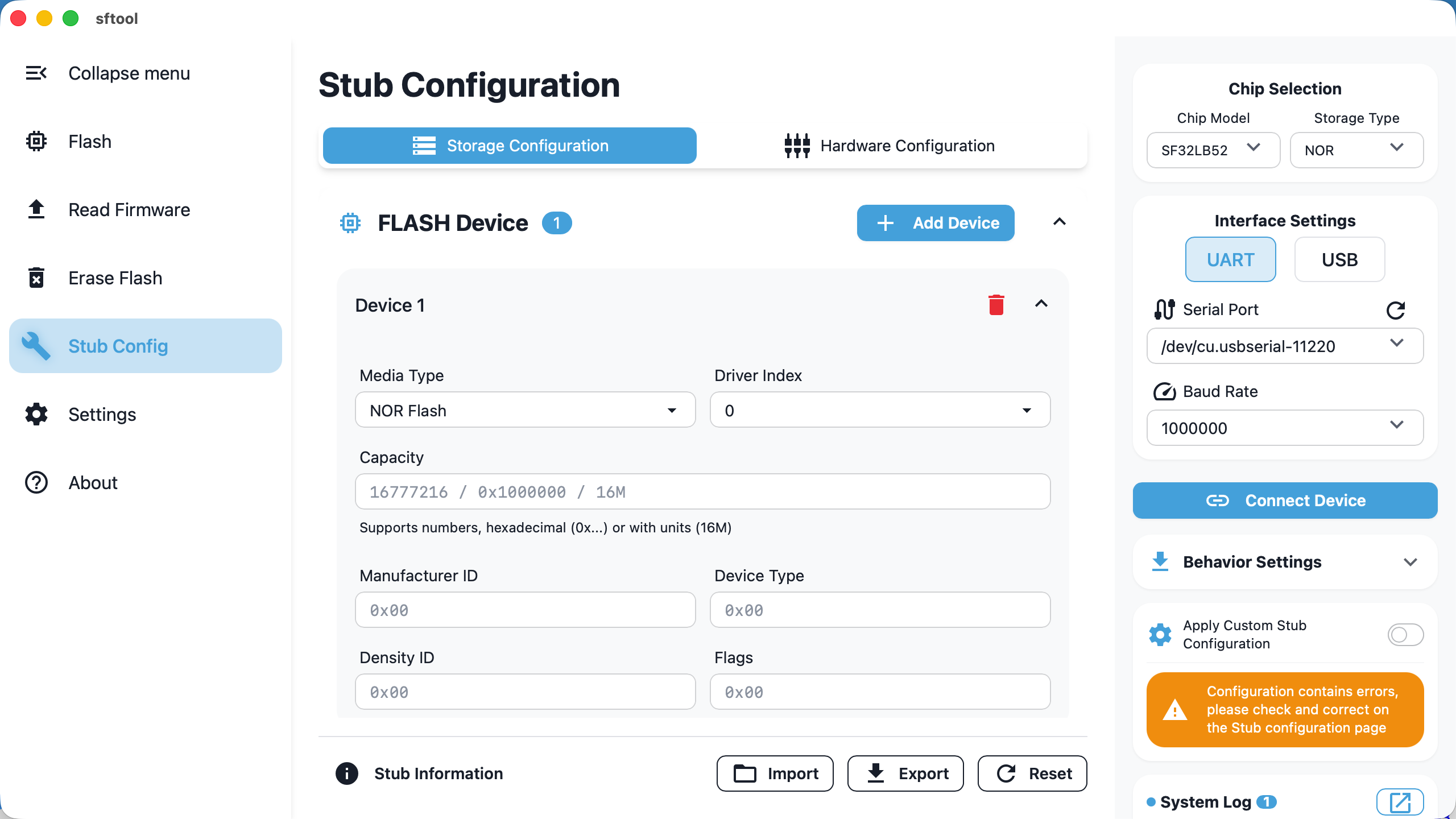
Stub Configuration
stub Mechanism explanation
During flashing, sftool first downloads a small stub program into the device RAM. The host then interacts with this stub to perform Flash read, erase, and write operations.
Driver Injection and Hardware Initialization
The stub includes common Flash drivers. If your hardware uses non-standard or newer Flash chips, you can inject external drivers manually:
Flash devices: support adding up to 12 sets of custom Flash drivers; parameter configuration reference link.
SDIO configuration: supports SDIO interface settings, suitable for eMMC or TF card storage.
GPIO management: supports defining initial high/low states for up to 12 GPIOs.
PMIC management: supports configuring SF30147 voltage rails to ensure stable operation during programming.
Activation and Validation
Enable switch: after completing configuration, you must check the Apply custom settings option on the right; otherwise the software will continue using the built-in default stub.
Import/export: supports JSON format configuration files for easy parameter migration between devices.
Validation: if entered parameters contain logical errors (e.g., invalid formats), the Apply custom settings switch cannot be enabled.
Behavior Settings
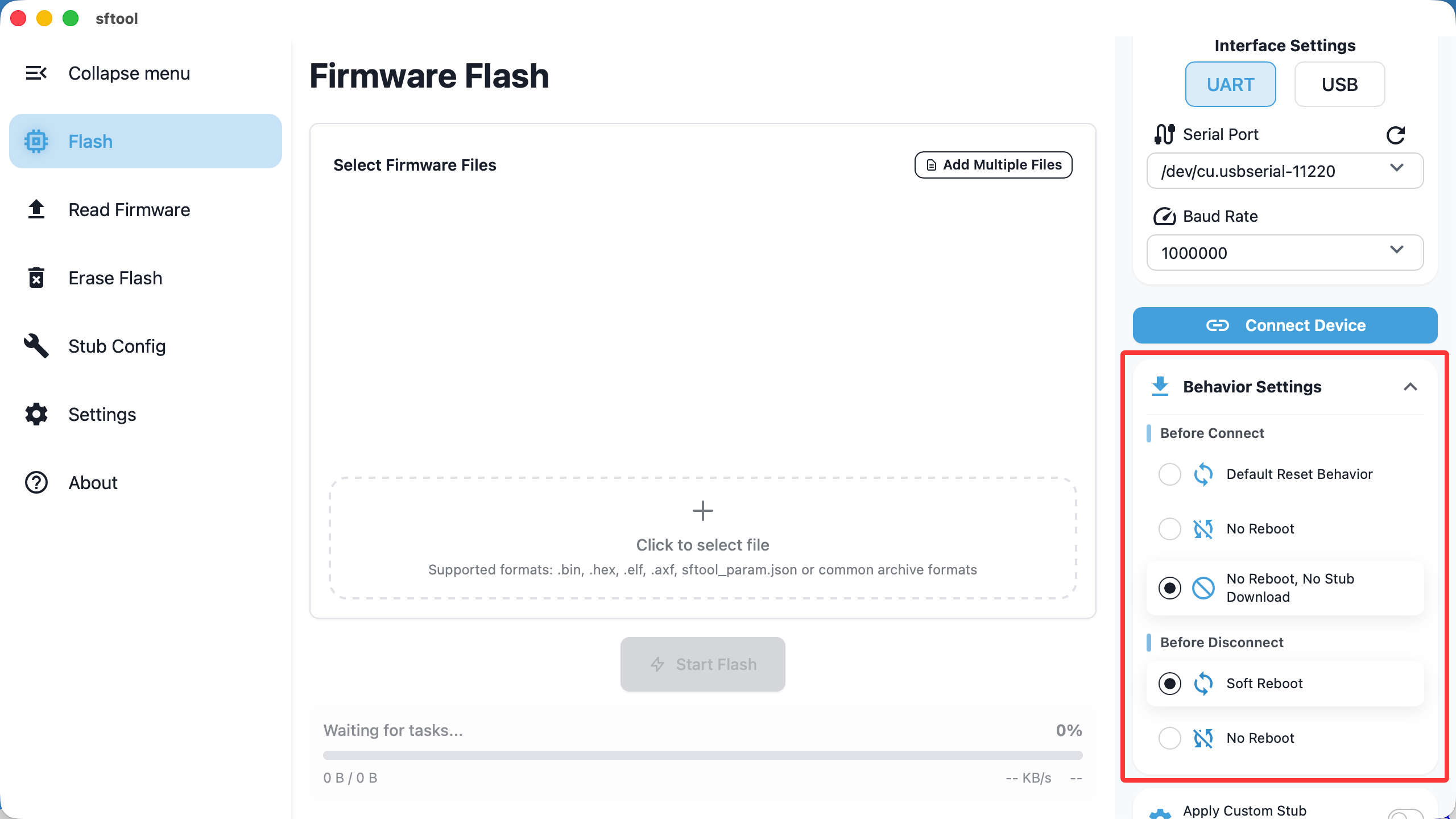
You can customize specific actions the tool performs when connecting or disconnecting based on the hardware's real-time state.
Before Connect
Determines what the tool does before attempting to download the stub:
- Default Reset Behavior (default)
Logic: send a reset command first, then download the stub.
Scenario: suitable for devices in low-power (sleep) mode. In this state the chip may not respond to serial download commands and must be woken by a reset.
- No reboot
- Logic: do not reset; directly attempt to download the stub and establish a connection.
- No reboot, no stub download
Logic: directly establish a secondary connection to an existing stub in RAM.
Scenario: fast-connect mode. If the device was not rebooted after the last disconnect, the stub may still reside in RAM; enabling this significantly shortens connection time.
Before Disconnect
Determines the device state after operations finish and you click "Disconnect":
- Soft reboot
Logic: reset the chip immediately after disconnect.
Result: the stub in RAM is lost and the chip begins running the user program from Flash. Usually chosen after firmware programming to take effect immediately.
- No reboot (default)
Logic: do not send a reset after disconnect.
Result: the chip remains running the stub. Newly flashed firmware will not run, which is convenient for reconnecting and debugging without power-cycling.