
进阶功能
sftool-gui provides advanced users with deep customization options, supporting
custom hardware drivers and fine-grained control of connection behaviors.
Stub Configuration
Stub Mechanism Overview
To facilitate flash programming, sftool first downloads a stub to the device
RAM, which then handles communication with the host to execute read, erase, and
write commands.
Driver Injection and Hardware Initialization
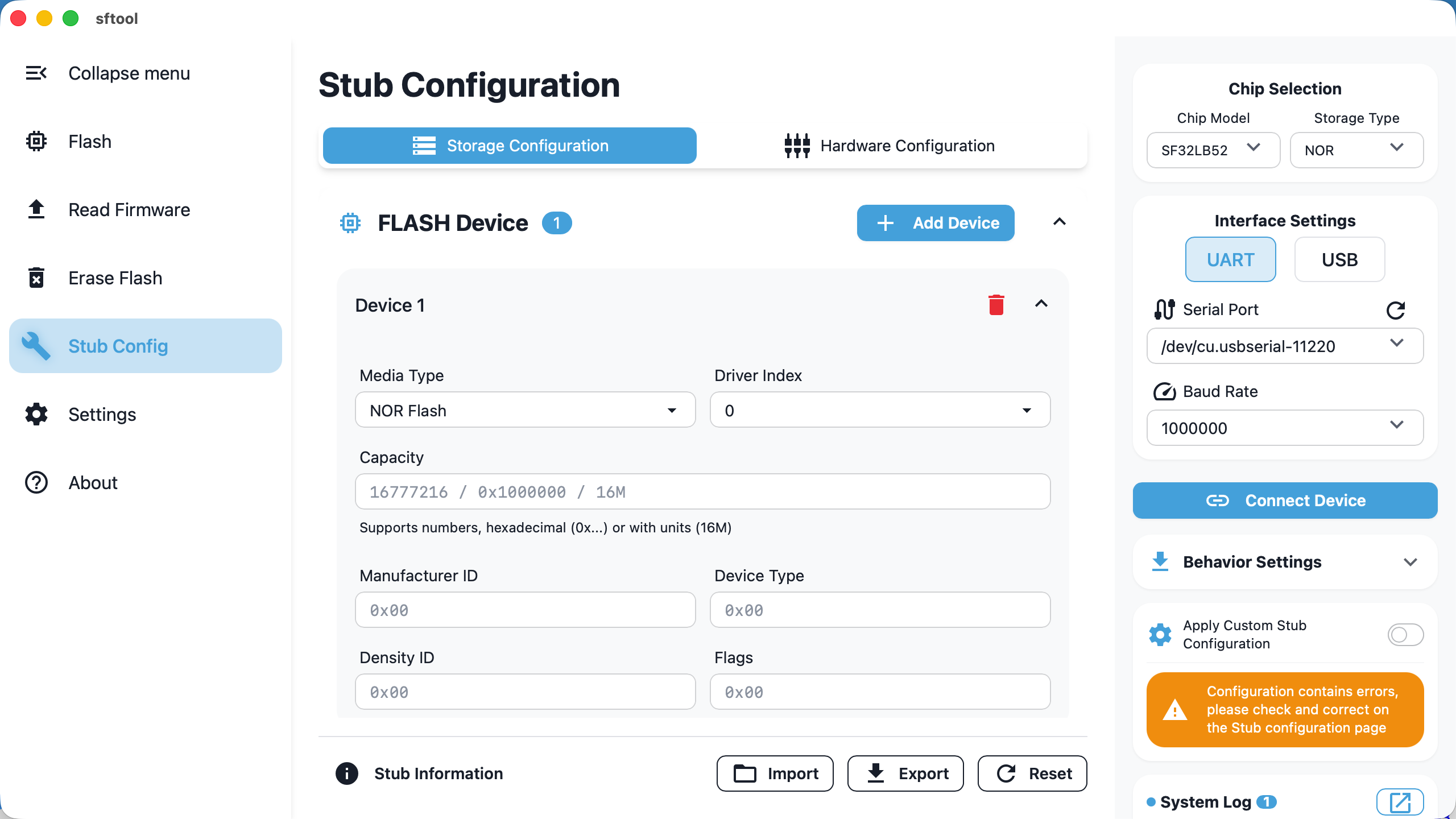
The stub includes common Flash drivers. If your hardware uses non-standard or
newer Flash chips, you can inject external drivers manually:
Flash devices: support adding up to 12 sets of custom Flash drivers; parameter
configuration [reference link]{1}.For Flash Type configuration, please refer to Flash Type
Selection.For ChipID configuration, please refer to How to Find
ChipID.For flag configuration, please refer to Configuring
ext_flags.
SDIO configuration: supports SDIO interface settings, suitable for eMMC or TF
card storage.GPIO management: supports defining initial high/low states for up to 12 GPIOs.
PMIC management: supports configuring SF30147 voltage rails to ensure stable
operation during programming.
Activation and Validation
Enable switch: after completing configuration, you must check the Apply custom settings option on the right; otherwise the software will continue using the
built-in default stub.
Import/export: supports JSON format configuration files for easy parameter
migration between devices.
Validation: if entered parameters contain logical errors (e.g., invalid
formats), the Apply custom settings switch cannot be enabled.
Behavior Settings
You can customize specific actions the tool performs when connecting or
disconnecting based on the hardware's real-time state.
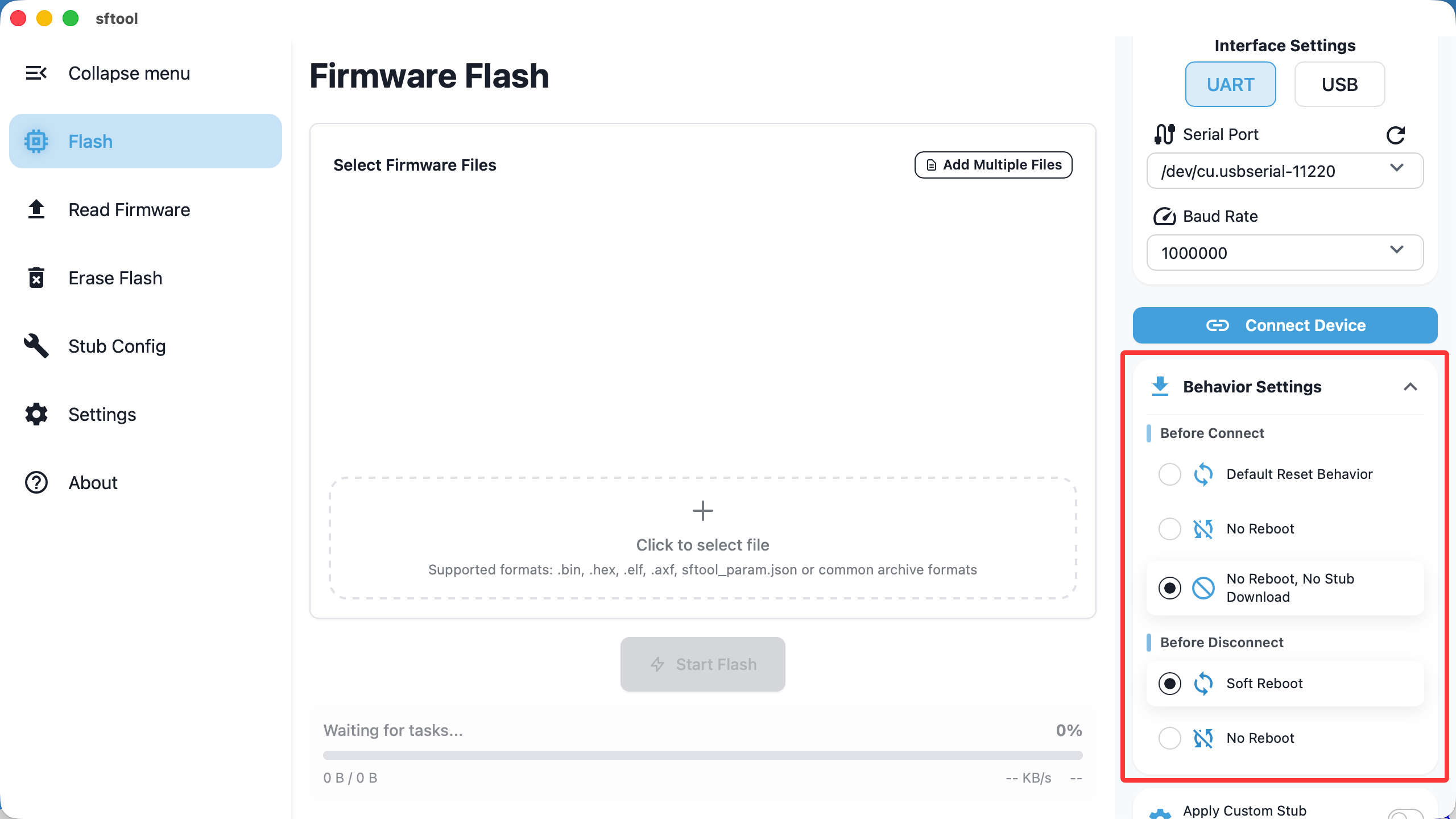
Before Connect
Determines what the tool does before attempting to download the stub:
- Default Reset Behavior (default)
Logic: send a reset command first, then download the stub.
Scenario: suitable for devices in low-power (sleep) mode. In this state the
chip may not respond to serial download commands and must be woken by a reset.
- No reboot
Logic: Direct download of the stub and connection establishment without
performing a reset.
- Logic: do not reset; directly attempt to download the stub and establish a
connection.
No reboot, no stub download
Logic: directly establish a secondary connection to an existing stub in RAM.
Before Disconnect
Determines the device state after operations finish and you click "Disconnect":
- Soft reboot
Logic: reset the chip immediately after disconnect.
Result: the stub in RAM is lost and the chip begins running the user program
from Flash. Usually chosen after firmware programming to take effect
immediately.
- No reboot (default)
Logic: do not send a reset after disconnect.
Result: the chip remains running the stub. Newly flashed firmware will not
run, which is convenient for reconnecting and debugging without power-cycling.