
ADV Scenario
Note: It is recommended to conduct ADV scenario tests in a shielding box or shielding room. Otherwise, interference from other devices will lead to inflated test results.
Open serial debugging tool, connect to HCPU console serial port, connect measurement device to the module under test
Connect wake-up PIN to low level, press Reset key on the baseboard to reset. After successful startup, the log shown in the figure below appears
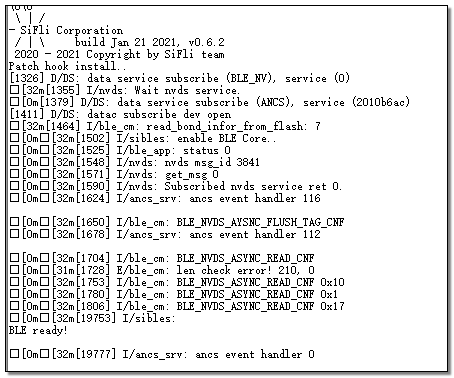
The default ADV period after startup is 200ms. Since Inquiry Scan and Page Scan will also be automatically enabled, to test BLE power consumption, you need to use btskey command to disable Scan. Refer to the Scan section of classic Bluetooth for disable commands. For example, first send btskey s command. If it shows you are currently in the main menu, you can send the following three commands in sequence to disable Page Scan and Inquiry Scan. After sending btskey0, you can send btskey 4 again to query the Scan status.
(a) btskey 1
(b) btskey 7
(c) btskey 0
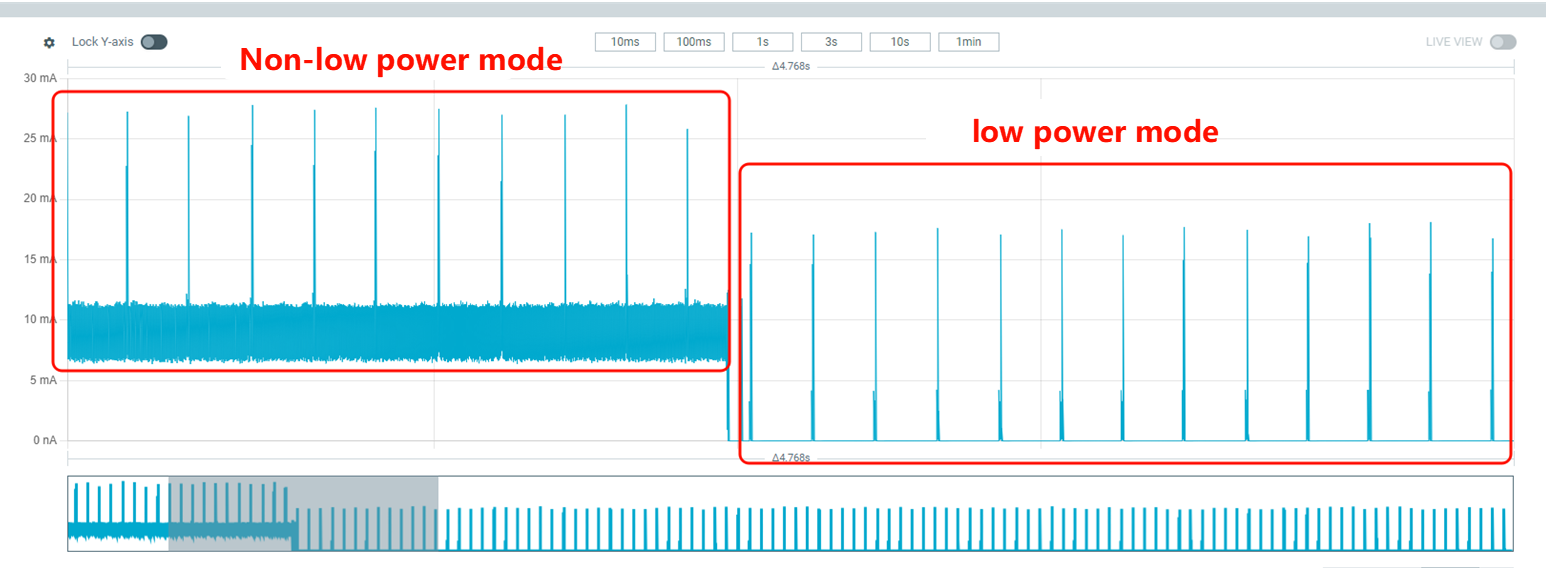
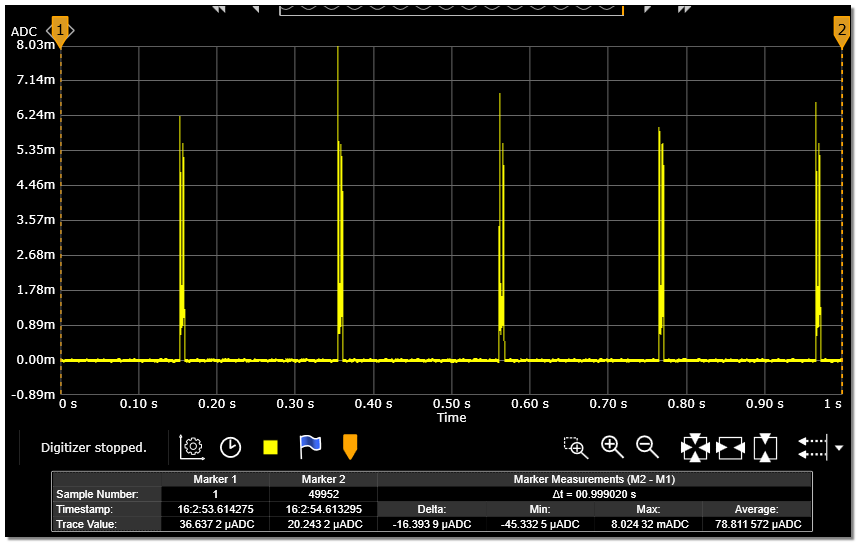
Connect wake-up PIN to high level, system enters low power mode, current value drops significantly as shown in the figure below. Measure current at 200ms interval. The current waveform in low power mode is shown in the ADV=200ms current waveform diagram. Record the 10-second average current as C1, the current between two peaks as sleep current C2, and the ADV incremental current C=C1-C2
Connect wake-up PIN to low level, system exits low power mode, send command ble_config adv 500 in console to change ADV interval to 500ms
Connect wake-up PIN to high level, system enters low power mode again, measure current at 500ms interval
Repeat steps 5 and 6 to measure current when ADV interval is 1000ms.