
Sniff Mode
Refer to the Scan chapter steps to reset development board and disable ADV
Phone connects to the corresponding Bluetooth device on development board, click to bring up pairing window, click confirm to pair successfully, Bluetooth device enters paired device list and shows connected status, as shown below:
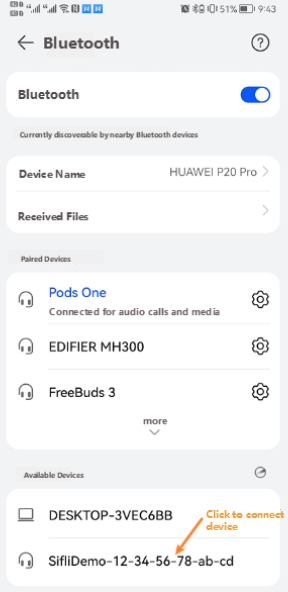
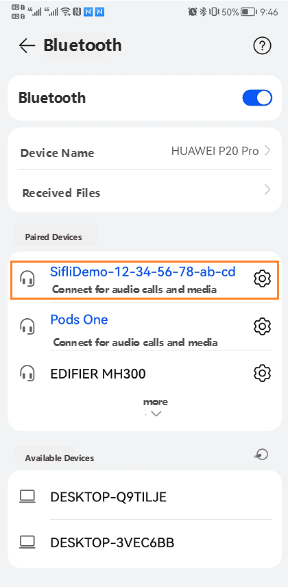
After connection is completed, wait for a while, console window will print »Sniff mode, indicating device has entered Sniff mode
Send btskey commands to disable Scan, specific steps are as follows:
(a) btskey s: View current menu
(b) If it's HFP HP Menu, then send
(c) btskey r: Return to previous menu BTS2 Demo Main Menu, then send following commands in sequence
(d) btskey 1: Select Generic Command
(e) btskey 7: Select Scan mode
(f) btskey 0: Disable scan
Similar to Scan current measurement method, Sniff mode incremental current can be obtained by subtracting sleep current between two peaks from 10-second average current