

擦除Flash
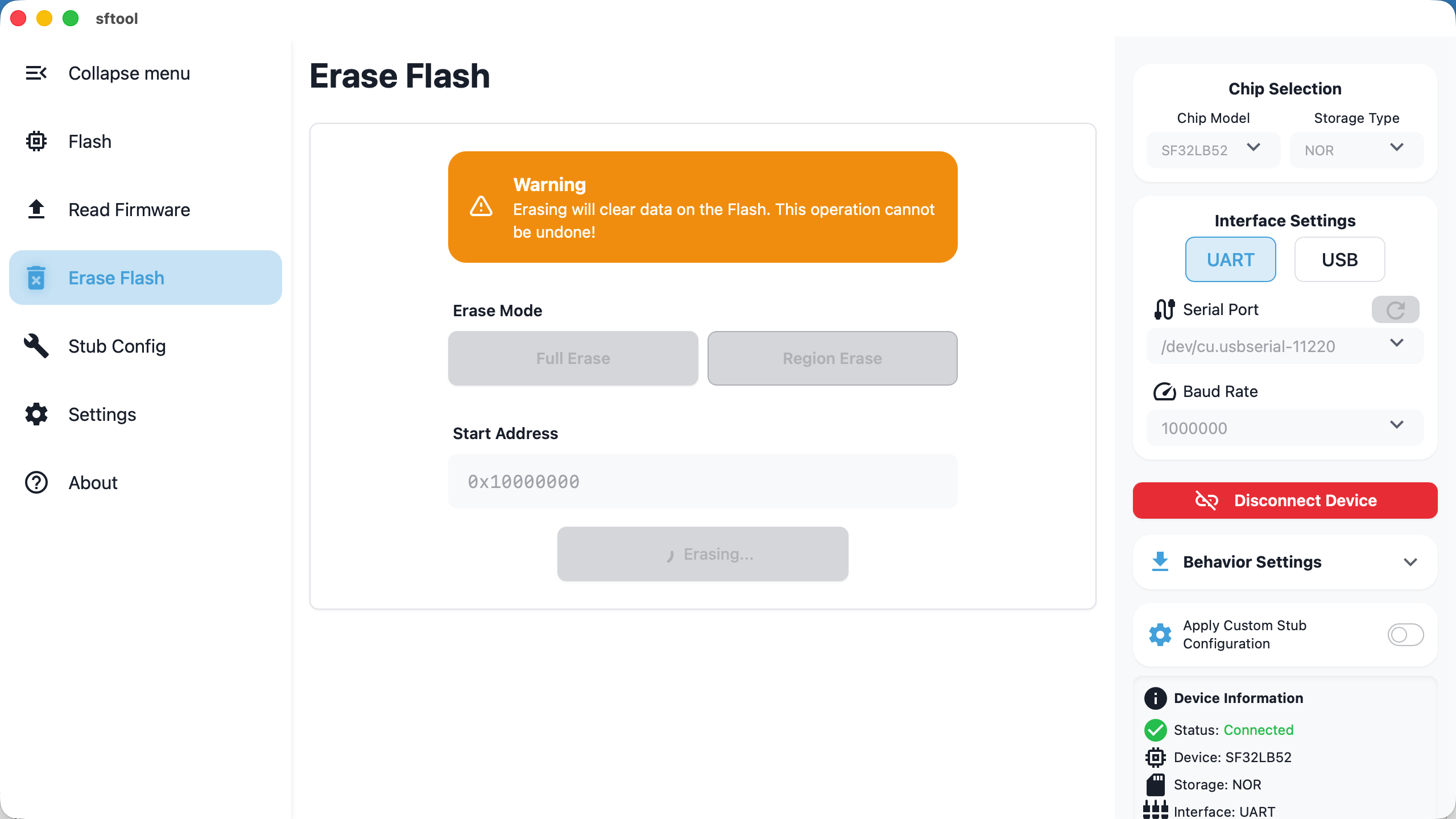
This chapter explains how to erase data from memory using sftool-gui. Two
modes are provided: full chip erase and area (sector) erase to meet different
development needs.
Caution
The erasure process will clear all data from the Flash memory. This operation is
irreversible!
Preparation
Before performing erase operations, ensure you have completed the following:
Connection setup: For specific connection steps, refer to Firmware Flashing
-Flashing Preparation, configure
the correct serial parameters, and successfully connect the device.Data confirmation: Confirm there is no important unbacked data in Flash before
erasing.
Configuration Options
You can choose one of the following erase modes as needed:
- Full Erase:
- Removes all data on the Flash memory.
- Region Erase:
Operation: Manually enter the start address in hexadecimal.
Range: Erases from the entered start address to the end of the Flash.
Use cases: Commonly used to preserve the bootloader or Ftab sectors while
deleting only the main application or subsequent data.
Performing Erase
Start task: After confirming the mode and address, click the
Start Erase
button.Wait: During the erase, the UI will display
Erasing....
- Note: Due to Flash hardware characteristics, erase operations (especially mass
erase) may take a long time. Do not perform other operations or forcibly
disconnect during the process to avoid hardware hangs or logical corruption.
- Completion: When the
Start Erasebutton becomes clickable again and the log
panel shows success, the erase task is complete.