
AMOLED Power Consumption Test Example
Source path: example/pm/amoled
Supported Development Boards
This example can run on the following development boards:
sf32lb52-core_n16r16
Overview
Under the RT-Thread operating system, two modes are set: one is the screen-off mode (screen turns off and enters sleep after 5s of screen refresh); the other is the always-on screen mode (screen remains on and then enters sleep after 5s of screen refresh). Switching between these two modes can be done through finsh commands, where power_mode 1 (switch from screen-off mode to always-on screen mode), power_mode 0 (switch from always-on screen mode to screen-off mode).
Note: Mode switching can only be successful during the wake-up phase. Mode switching during the sleep phase will not take effect.
Data Summary (using 200mAh battery capacity as an example)
Screen-off Mode
Screen-on during Wake-up |
Screen-off Sleep |
Daily Consumption |
Usable Days |
|
|---|---|---|---|---|
100 times/day |
1.73mAh |
1.18mAh |
2.91mAh |
68.7 days |
300 times/day |
5.20mAh |
1.17mAh |
6.37mAh |
31.4 days |
500 times/day |
8.65mAh |
1.16mAh |
8.65mAh |
23.1 days |
Average Power Consumption in Two Modes |
Low Power Mode: 49.06uA |
Working Mode: 12.48mA |
Always-on Screen Mode
Screen-on during Wake-up |
Screen-off Sleep |
Daily Consumption |
Usable Days |
|
|---|---|---|---|---|
100 times/day |
1.73mAh |
136mAh |
137.73mAh |
1.45 days |
300 times/day |
5.20mAh |
134.43mAh |
139.63mAh |
1.43 days |
500 times/day |
8.65mAh |
132.85mAh |
141.5mAh |
1.41 days |
Average Power Consumption in Two Modes |
Low Power Mode: 5.7mA |
Working Mode: 12.38mA |
Mode Introduction
Three screen modes
Power Off Mode: In this mode, most of the internal circuits of the screen are turned off. The screen will be completely black and will not display any images. Internal power circuits, driver ICs, backlight (for LCD) or pixels (for OLED) will stop working.
Idle Mode: The purpose is to minimize power consumption while maintaining basic functions, so as to quickly resume normal operation. The screen usually stops refreshing and maintains the static image of the last frame before entering Idle mode (but some screens may clear the display). Core display drivers and memory (such as GRAM) remain powered, but clocks and scanning circuits may stop or significantly reduce frequency.
Normal Mode: This is the full-function working mode of the screen with the highest power consumption. The screen refreshes normally and continuously, dynamically displaying image data sent from the host. All internal circuits, including clock generators, scanning drivers, GRAM, gamma correction circuits, and power circuits, operate at full speed.
Always-on screen mode and screen-off mode in project introduction
Always-on screen mode: Refers to the screen’s working state being refreshed in Normal Mode. After refreshing, the chip module enters Idle Mode, but the screen does not enter sleep mode.
Screen-off mode: The screen’s working state is refreshed in Normal Mode. After refreshing, the screen first enters Power Off Mode, then the chip module enters sleep.
Hardware Connection
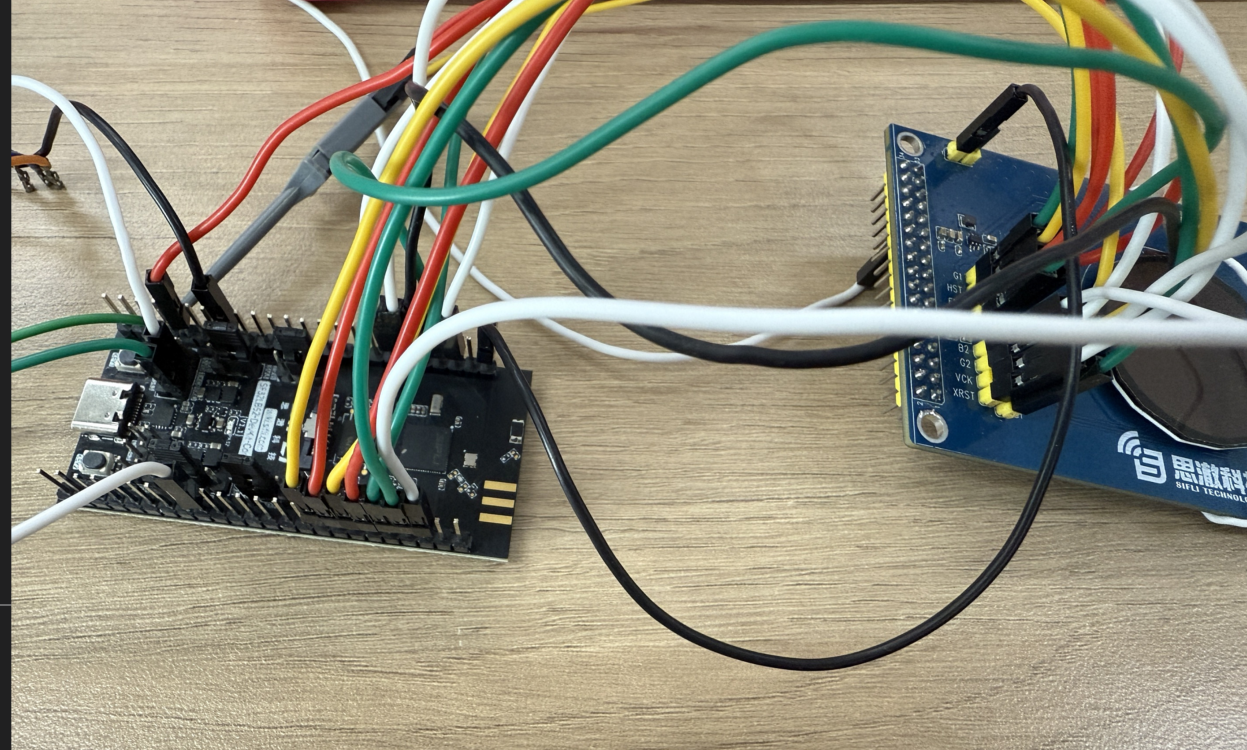
For low power consumption testing, the board is no longer powered through USB but needs to be powered through a power consumption testing tool to the board’s VCC_5V with 5V power supply. Therefore, the following operations need to be performed to conduct power consumption testing.
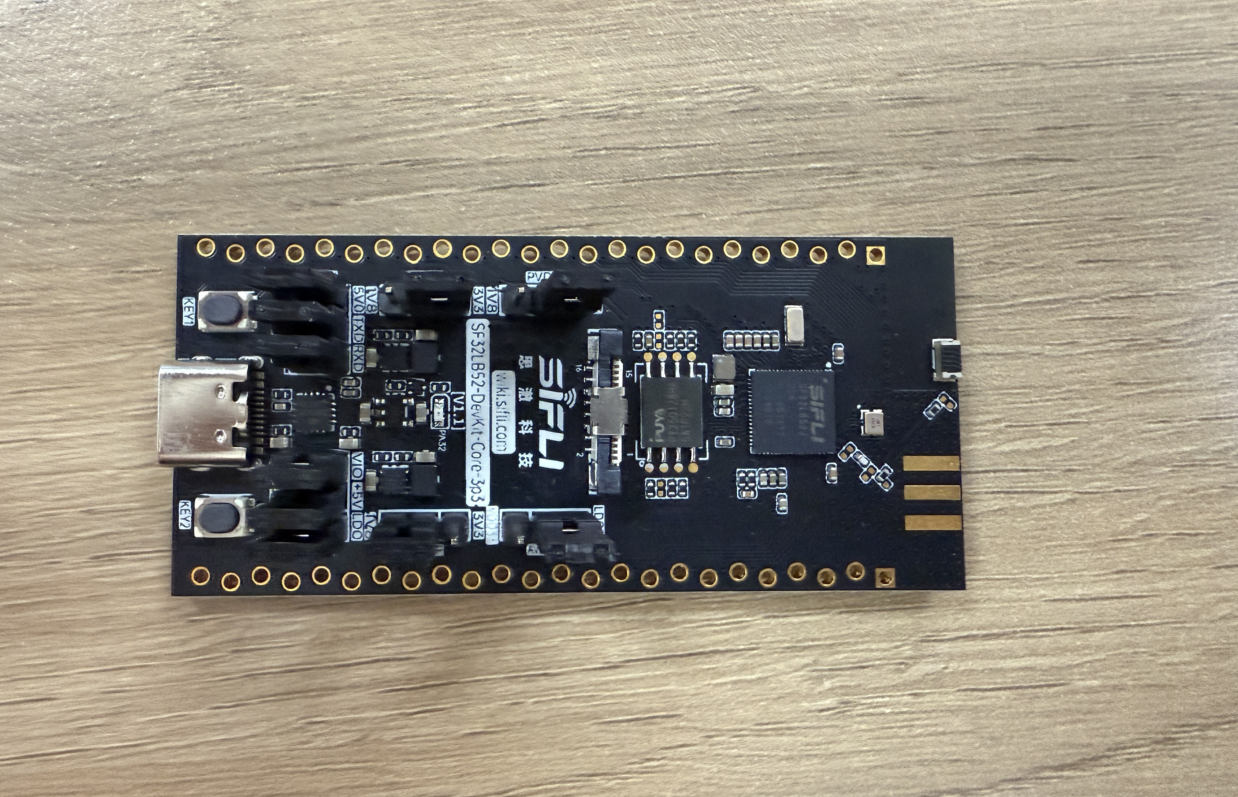
Original power supply situation of development board
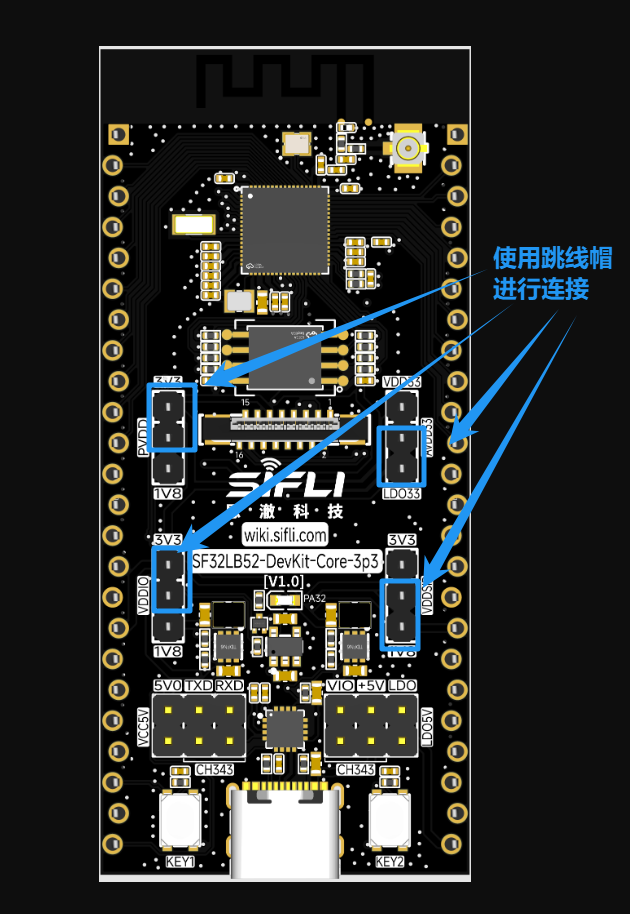
Remove all jumper caps except for ADDIO, PVDD, and AVDD
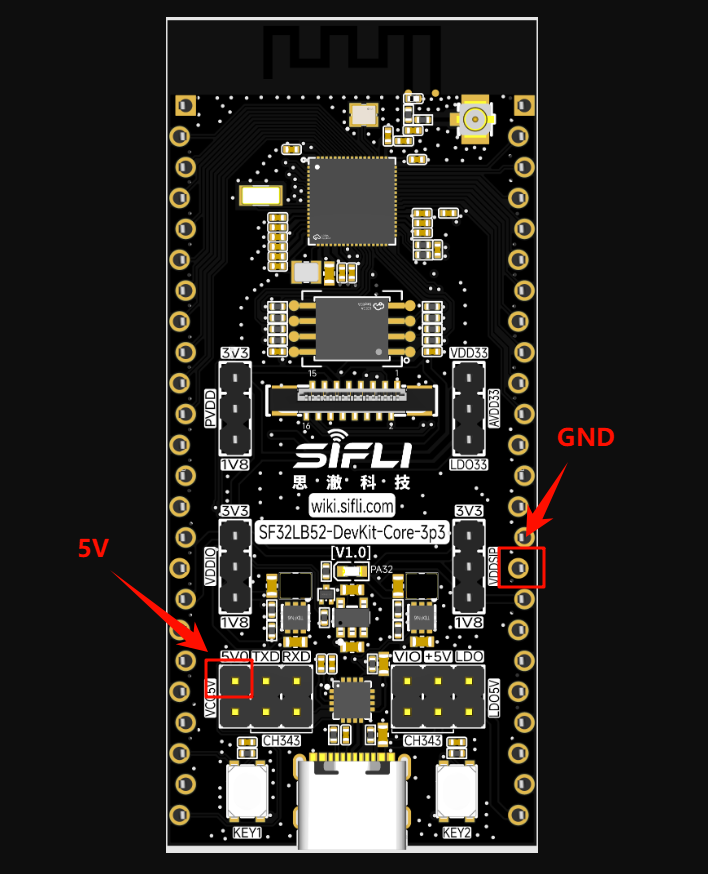
Connect the power consumption testing tool’s VOUT to the board’s VCC_5V, and connect GND to the PPK’s GND pin
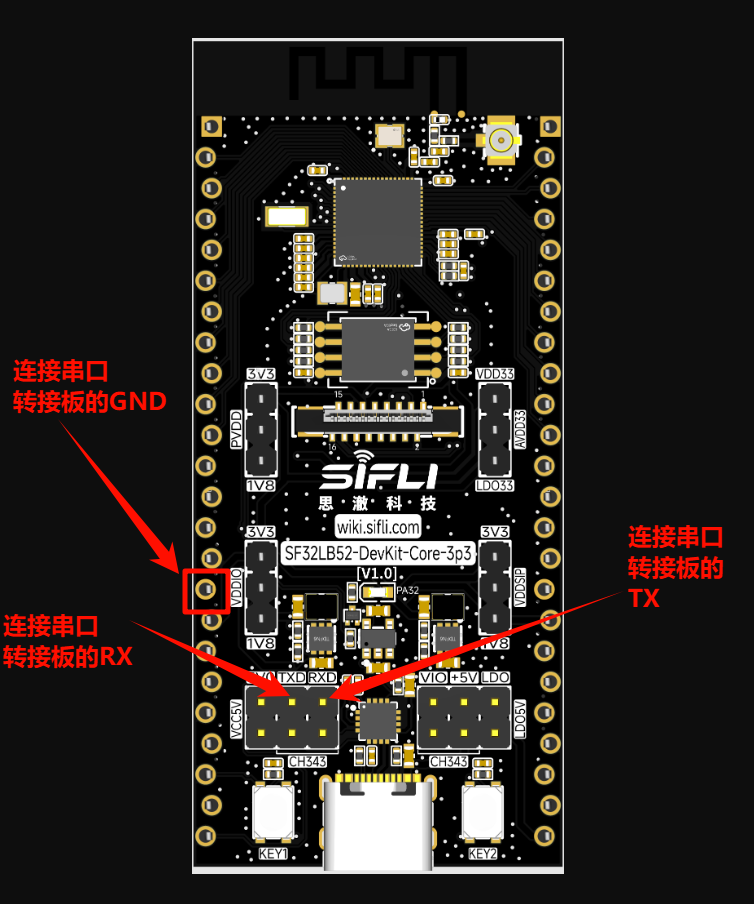
For convenient debugging, the UART converter can be connected to the board’s TX and RX
Final connection
Example Output Results
Serial:c2,Chip:4,Package:6,Rev:f  Reason:00000000
Serial PowerOnMOde:0 rtc_record:00000000

 \ | /
- SiFli Corporation
 / | \     build on Sep  3 2025, 2.4.0 build 0f027d7b
 2020 - 2022 Copyright by SiFli team
mount /dev sucess
[2291] I/drv.rtc main: PSCLR=0x80000100 DivAI=128 DivAF=0 B=256
[2324] I/drv.rtc main: RTC use LXT RTC_CR=00000001

[2344] I/drv.rtc main: Init RTC, wake = 0

rt_flash_config_read addr: 0x1200e000 find handle error
[2535] I/drv.audprc main: init 00 ADC_PATH_CFG0 0x606

[2557] I/drv.audprc main: HAL_AUDPRC_Init res 0

[2581] I/drv.audcodec main: HAL_AUDCODEC_Init res 0

[2604] I/TOUCH main: Regist touch screen driver, probe=1203b845
call par CFG1(3313)
fc 9, xtal 2000, pll 2129
call par CFG1(3313)
fc 7, xtal 2000, pll 1706
[2866] I/drv.lcd main: [NONE] -> [OPENING]
[2893] I/drv.lcd lcd_task: open
[2908] I/drv.epic lcd_task: drv_gpu opened.
[2926] I/drv.lcd lcd_task: HW open
[2957] I/drv.lcd lcd_task: Try registered LCD driver...
msh />
CO5300_ReadID 0x331100
[5286] I/co5300 lcd_task: LCD module use CO5300 IC
[11538] I/drv.lcd lcd_task: Found lcd co5300 id:331100h
[11561] I/drv.lcd lcd_task: HW open done.
[11581] I/drv.lcd lcd_task: [OPENING] -> [INITIALIZED]
[11601] I/drv.lcd lcd_task: open done.
[13554] I/drv.lcd lcd_task: Auto turn on display.
[13576] I/drv.lcd lcd_task: set brightness 50
[13599] I/drv.lcd lcd_task: display on
[13615] I/drv.lcd lcd_task: [INITIALIZED] -> [ON]
[184450] I/drv.lcd lcd_task: Power off
[184470] I/drv.epic lcd_task: drv_gpu closed.
[184488] I/drv.lcd lcd_task: display off
[184508] I/drv.lcd lcd_task: [ON] -> [OFF]
[184526] I/drv.lcd lcd_task: HW close
[184540] I/drv.lcd lcd_task: HW close done.
[184557] I/drv.lcd lcd_task: Power off done
[184577] I/APP.FWK.PM main: gui suspend canel

Key interrupt triggered! system_sleeping=1
Key pressed, waking up system...
[347900] I/drv.lcd lcd_task: Power on
[347918] I/drv.epic lcd_task: drv_gpu opened.
[347936] I/drv.lcd lcd_task: HW open
[347967] I/drv.lcd lcd_task: Init LCD co5300

CO5300_ReadID 0x331100
[350280] I/co5300 lcd_task: LCD module use CO5300 IC

Key interrupt triggered! system_sleeping=0
[356508] I/drv.lcd lcd_task: HW open done.
[356525] I/drv.lcd lcd_task: [OFF] -> [INITIALIZED]
[356545] I/drv.lcd lcd_task: Power on done.
[358540] I/drv.lcd lcd_task: Auto turn on display.
[358562] I/drv.lcd lcd_task: set brightness 50
[358583] I/drv.lcd lcd_task: display on
[358600] I/drv.lcd lcd_task: [INITIALIZED] -> [ON]
msh />msh />[529475] I/drv.lcd lcd_task: idle mode on=1
[529501] I/drv.lcd lcd_task: [ON] -> [IDLEMODE]
[529523] I/APP.FWK.PM main: gui suspend canel
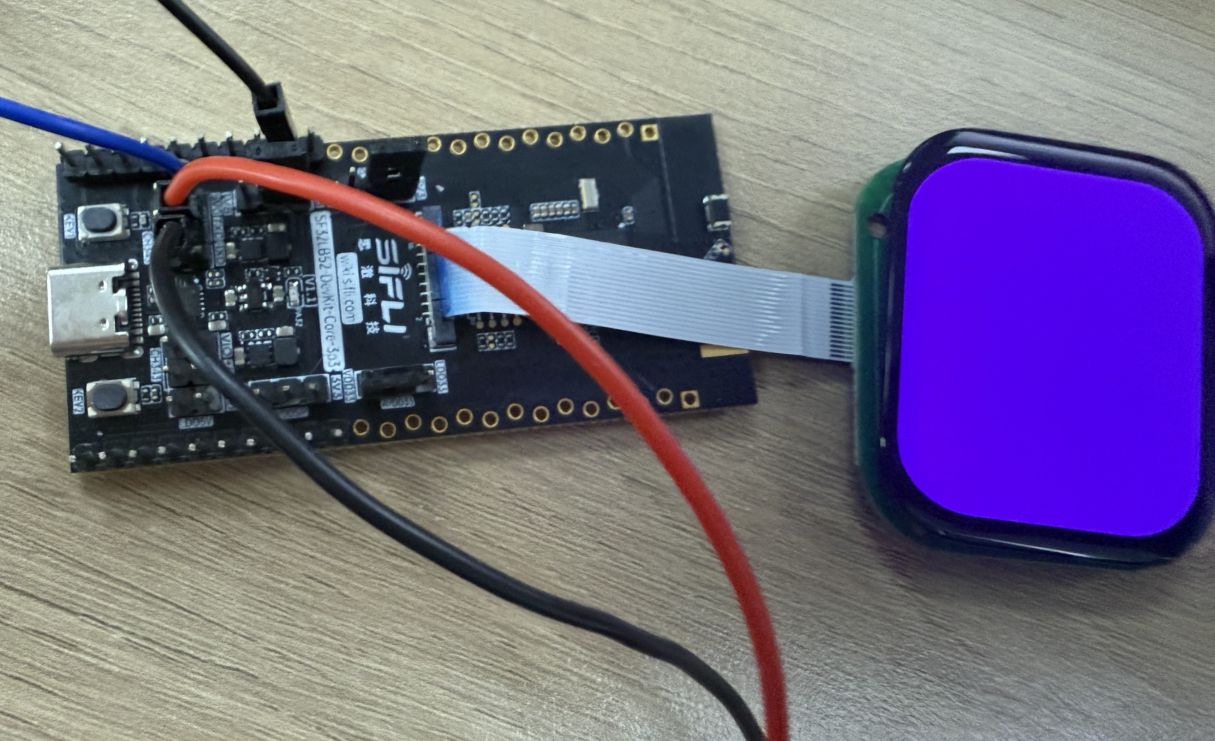
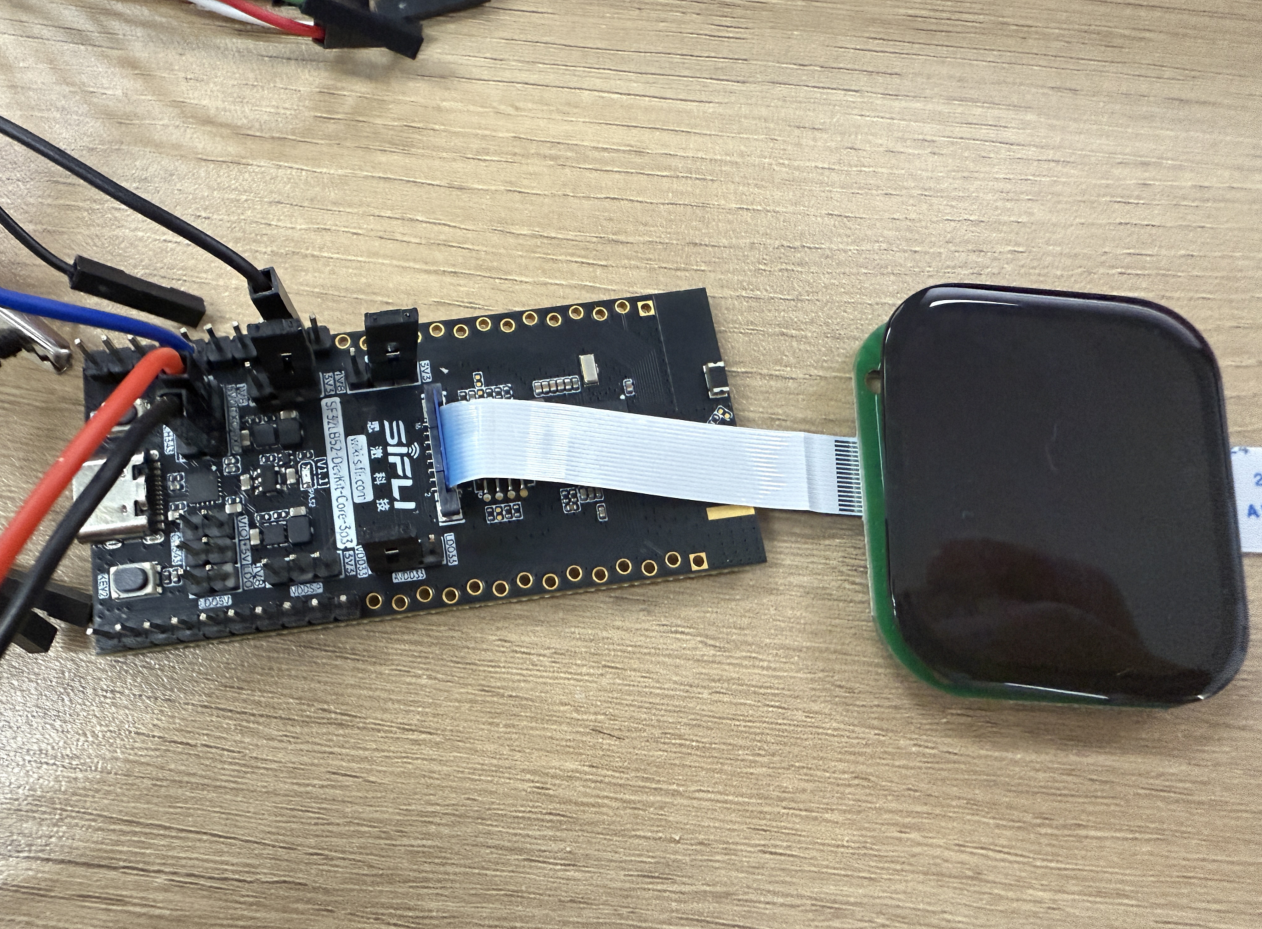
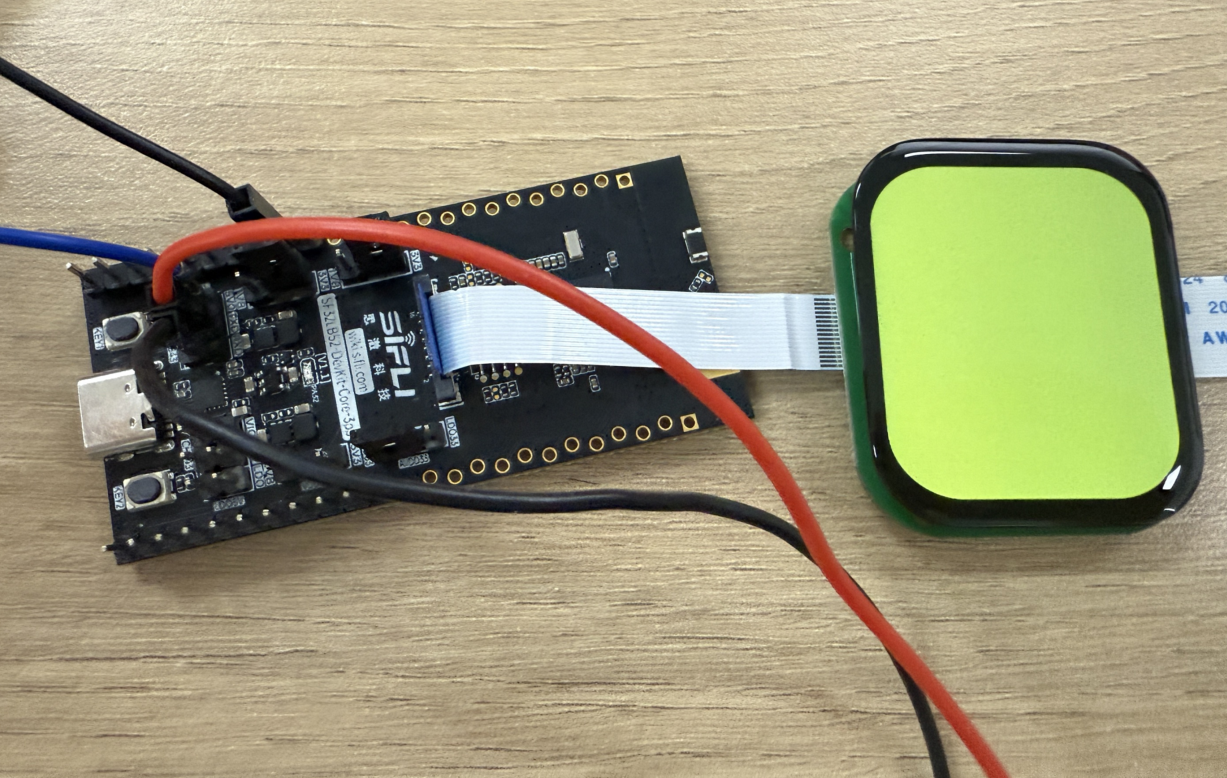
Screen-off mode board phenomenon When awakened:
 When sleeping:
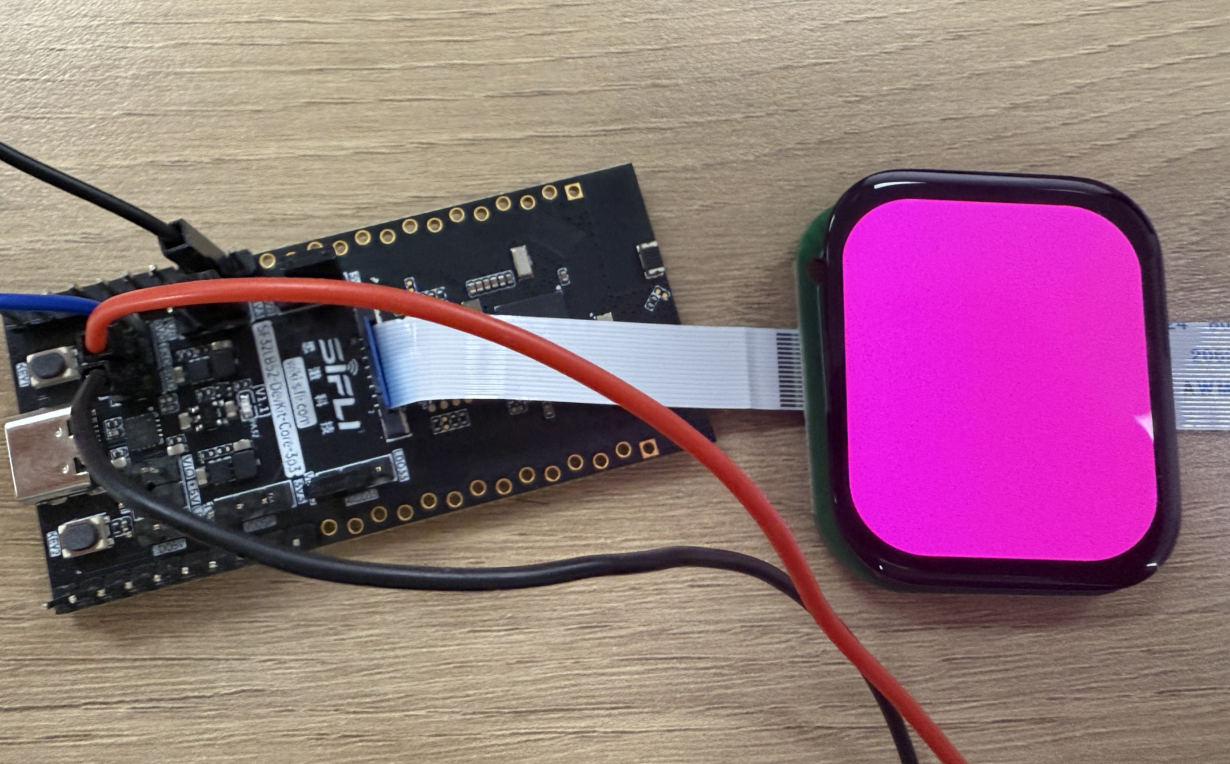
Always-on screen mode board phenomenon When awakened:
 When sleeping:
Power Consumption Test Results
We use a 200mAh battery capacity as an example to test the above two modes and estimate device usage time.
Classified into light, medium, and heavy usage scenarios, corresponding to 100, 300, and 500 wake-up times respectively. Each wake-up executes 5 seconds of screen refresh to simulate the time people spend viewing content.
Screen-off Mode
Key trigger wake-up (used to simulate watching time on a watch)
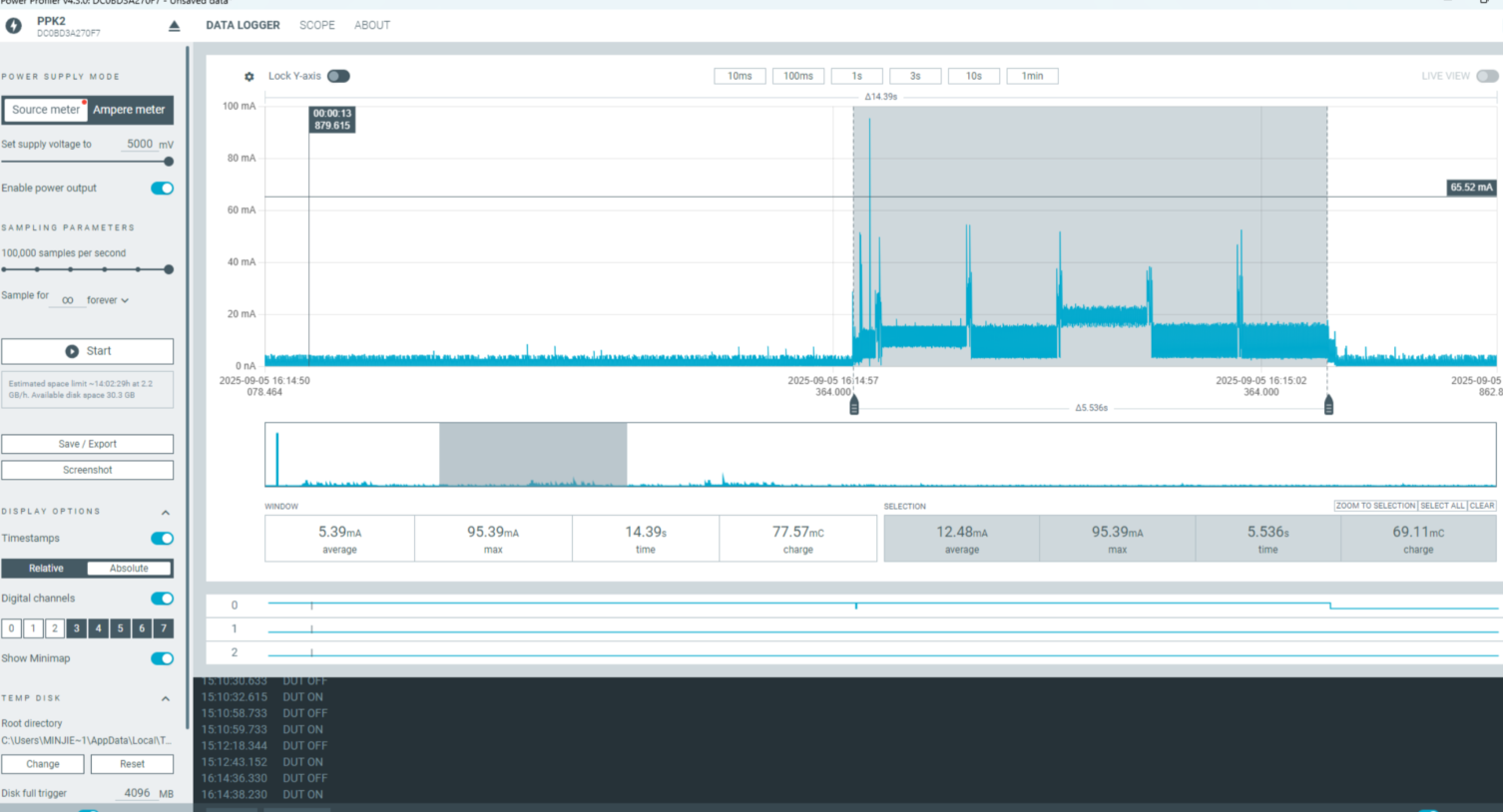
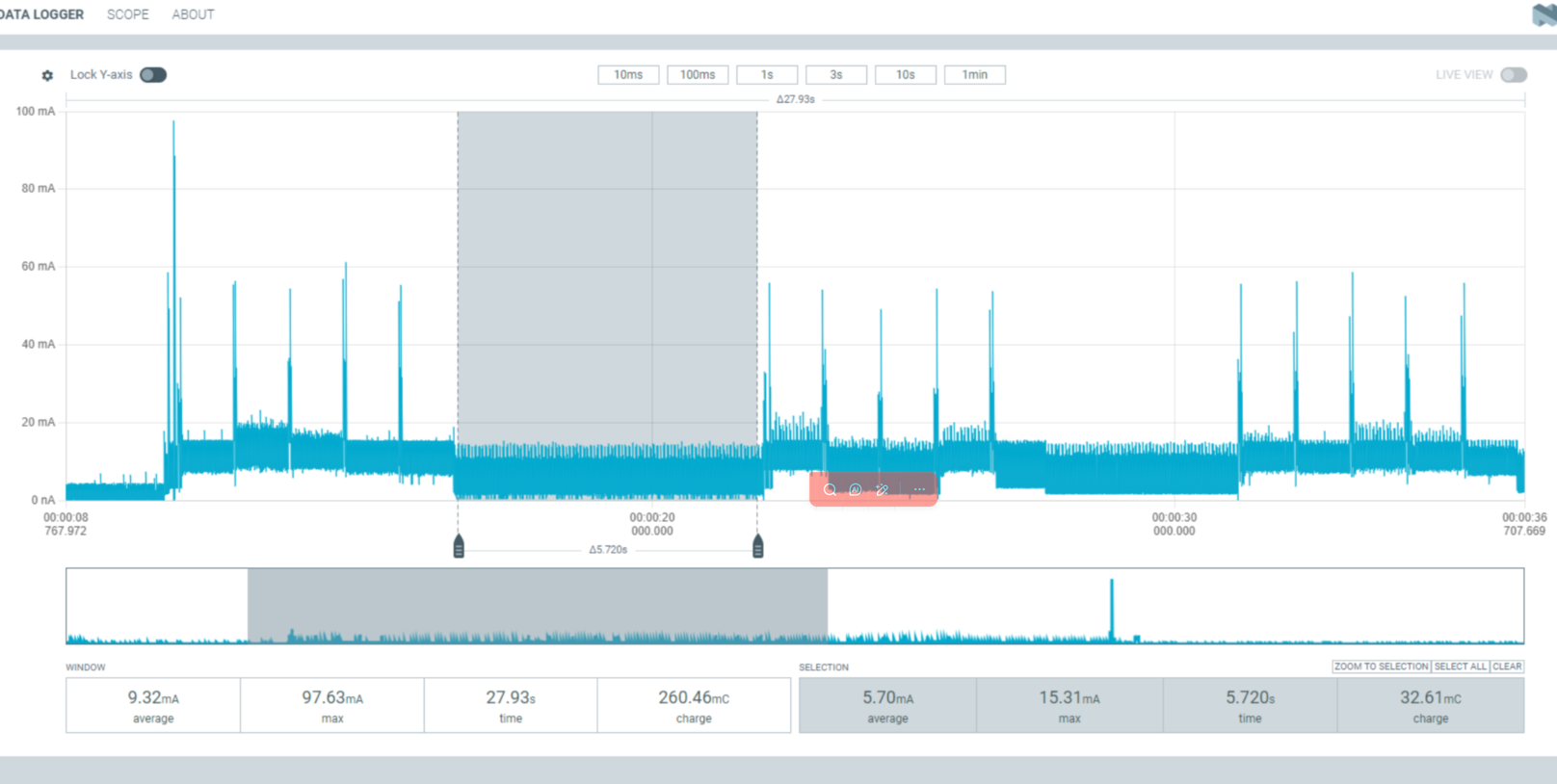
Average current during 5s screen refresh after key wake-up: 12.48mA
Power consumption per day
100 times: 12.481005/3600 = 1.73 (mAh)
300 times: 12.483005/3600 = 5.2 (mAh)
500 times: 12.485005/3600 = 8.65 (mAh)
Screen-off sleep (used to simulate standby state)
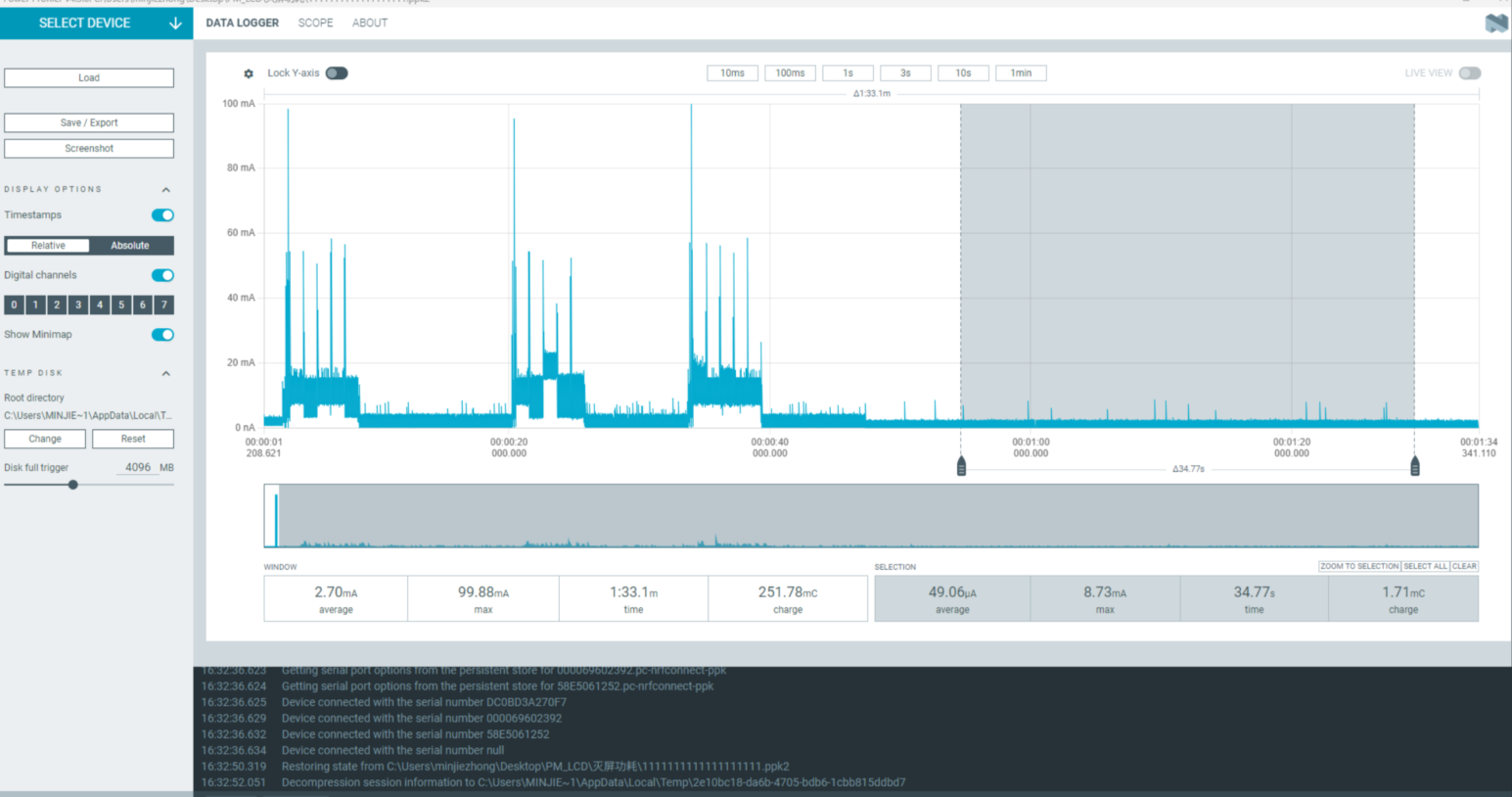
Quiescent current in screen-off sleep mode: 49.06uA
Power required for one hour of screen-off sleep 49.6/1000*1=0.0496 (mAh)
Total daily consumption calculated as:
100 times: 0.0496 * (24 * 3600 - 100 * 5) + 1.73 = 2.91 (mAh)
300 times: 0.0496 * (24 * 3600 - 300 * 5) + 5.20 = 6.37 (mAh)
500 times: 0.0496 * (24 * 3600 - 500 * 5) + 8.65 = 9.81 (mAh)
Always-on Screen Mode
Key trigger wake-up (used to simulate watch usage)
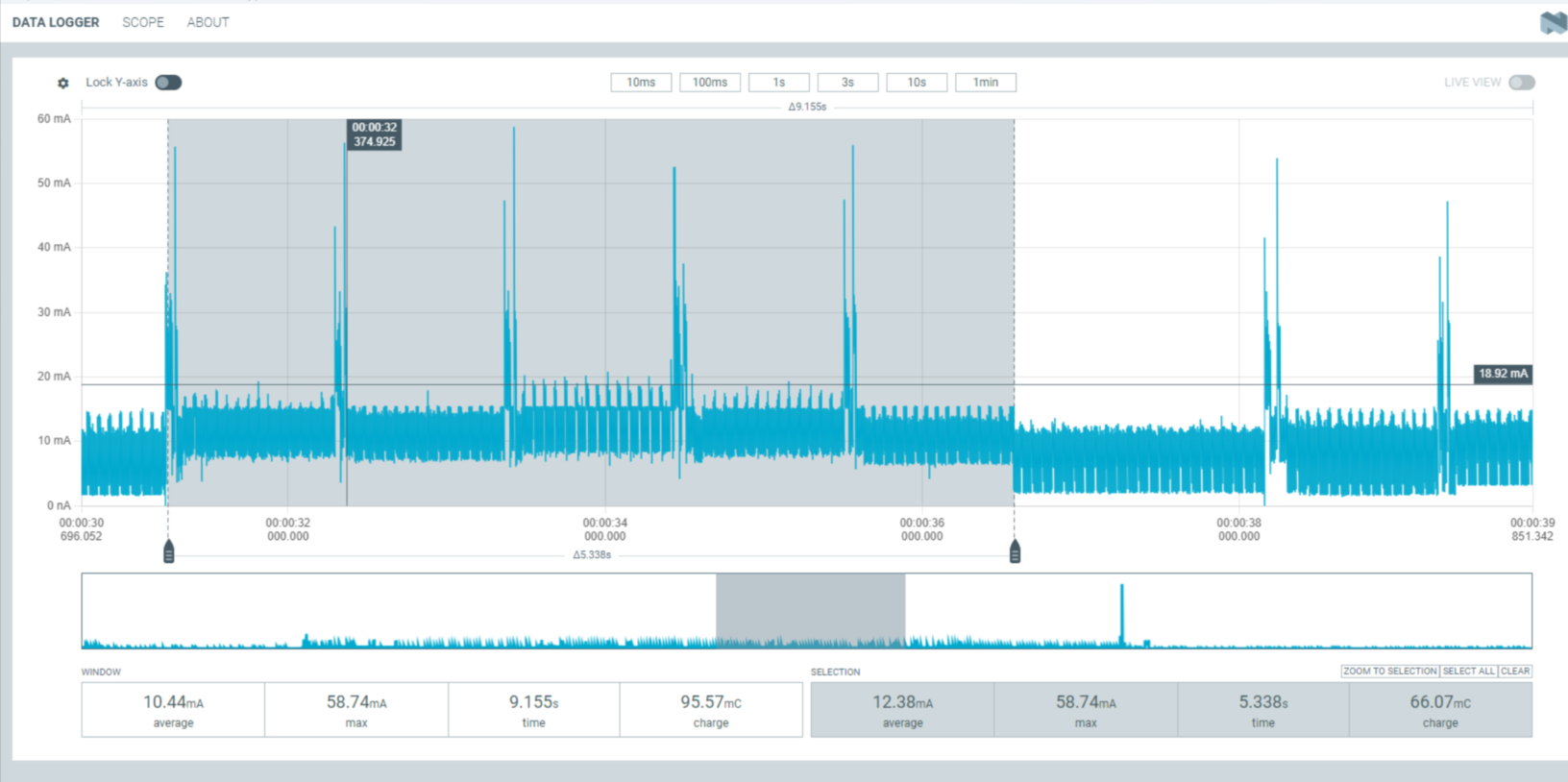
Average current required for 5s screen refresh after key wake-up: 12.38mA
Power consumption during usage
100 times: 12.481005/3600 = 1.73 (mAh)
300 times: 12.483005/3600 = 5.2 (mAh)
500 times: 12.485005/3600 = 8.65 (mAh)
Always-on screen sleep (used to simulate always-on screen standby state)
Quiescent current in always-on screen sleep mode: 5.7mA
Power consumption required for one hour of screen-on sleep 5.7*1=5.7 (mAh)
Daily consumption
100 times: 5.7*(243600-1005) + 1.73 = 137.73 (mAh)
300 times: 5.7*(243600-3005) + 5.20 = 139.63 (mAh)
500 times: 5.7*(243600-5005) + 8.65 = 141.5 (mAh)
Abnormal Diagnosis
If the measured results differ significantly from those in the document, there may be abnormalities. Please conduct troubleshooting on your own. UDDIO: Chip IO power supply PVDD: Chip main power input AVDD: Chip audio
If there are hardware modifications, it may cause significant deviations in test results
Mismatch between power supply voltage and required voltage will also cause significant deviations in test results (using 5V power supply)
Troubleshooting steps: The original 5V power supply can be unplugged, and the jumper caps of UDDIO, PVDD, and AVDD can be removed. The above three paths can be powered individually using the power consumption testing tool, and the remaining two paths can be powered through external VCC. This allows for single-path power consumption testing to identify which power path has abnormalities (note that VCC_3V3 needs to be powered separately as it powers the screen alone).