
FLAC Example
源码路径:example/multimedia/audio/flac
Supported Platforms
sf32lb52-lcd
sf32lb56-lcd
sf32lb58-lcd
Overview
This example demonstrates how to use the FLAC audio codec library for recording、encoding、decode and play,include:
Record PCM audio data from the microphone through mic
Encoding: Compress PCM data using a FLAC encoder
Decoding: Use a FLAC decoder to decompress audio data
Playback: Play the decoded audio data through the speaker
Example Usage
Hardware Requirements
Before running this example, prepare:
A development board supported by this example (Supported Platforms).
Speaker.
menuconfig Configuration
This example needs to read and write files, so it needs to use a file system. Configure the
FATfile system:

Tip
mnt_init 中mount root分区。
Enable AUDIO CODEC and AUDIO PROC:

Enable AUDIO(
AUDIO):

Enable AUDIO MANAGER.(
AUDIO_USING_MANAGER)

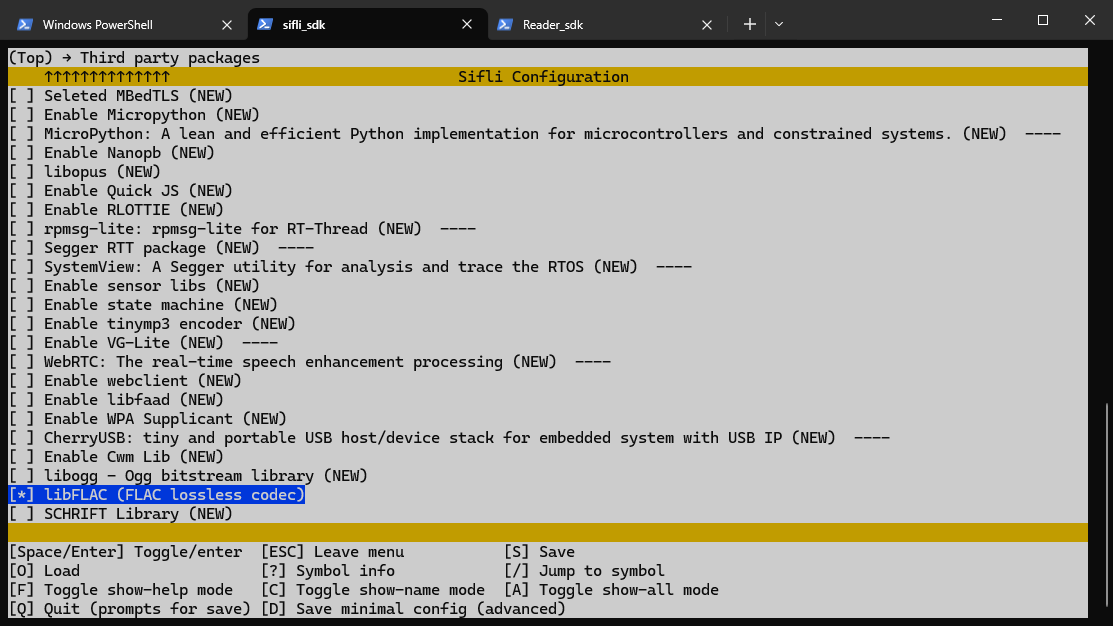
Enable LIB FLAC.(
libFLAC)
Compilation and Programming
Switch to the example project directory and run the scons command to execute compilation:
> scons --board=sf32lb52-lcd_a128r16 -j16
Switch to the example project/build_xx directory and run uart_download.bat, select the port as prompted for download:
$ ./uart_download.bat

     Uart Download

please input the serial port num:5
For detailed steps on compilation and download, please refer to Quick Start.
Expected Results of Example
After the example starts:
Manual command:
flac_test : By default, record 10 seconds to /mic_record.pcm, encode and decode it for playback. You can also set the recording duration yourself, for example: flac_test 5 (record for 5 seconds)
flac_enc : Read PCM data from /mic_record.pcm and encode it to /test.flac
flac_play : Decode /test.flac and play it
Exception Diagnosis
Reference Documents
Update History
Version |
Date |
Release Notes |
|---|---|---|
0.0.1 |
04/2026 |
Initial version |