
LVGL v8 arctext (curvetext)
SiFli SDK provides arc text (Arc Text) display capability on LVGL v8, with the corresponding SDK header lvsf_curvetext.h (widget class name lvsfcurve). Built on top of lv_canvas, it draws characters arranged along an arc, supports setting the text angle and radius along the arc, and can draw an arc background line. It is commonly used for arc text layout scenarios such as watch-face edges and ring-menu titles.
Note
The lv_arctext_* interfaces used in the solution document differ in naming from the lv_lvsfcurve_* interfaces in the current SDK v8 header lvsf_curvetext.h. The API table in this document follows the SDK header; the alignment, equal-spacing, mirroring, and other feature descriptions related to lv_arctext_* can serve as a design reference.
Features
Draws text arranged along an arc, with a configurable start angle and radius.
Supports drawing an arc background line (radius, start/end angle, color, line width).
Supports setting the rotation pivot point.
Depends on the LVGL canvas (
LV_USE_CANVAS) as the drawing backend.
Use Cases
Text wrapping around the outer edge of a watch face.
Title text along the edge of a ring menu / circular widget.
Interfaces that require text arranged along an arc together with arc scale lines.
Supported Boards
Any platform supported by the general LVGL v8 examples, and any board from 55x onward (such as 58x, 56x, 52x). Enable LV_USE_CANVAS in lv_conf.h and LVSF_USE_CURVE in menuconfig.
Configuration and Initialization
Arc text depends on the LVGL canvas, which must first be enabled in lv_conf.h:
LV_USE_CANVAS 1
Then enable LVSF_USE_CURVE under LittlevGL2RTT -> SiFli extend in menuconfig.
#include "lvsf/lvsf_curvetext.h"
API Reference
The interface signatures below are taken verbatim from middleware/lvgl/lvsf/lvsf_curvetext.h:
Function |
Description |
Parameters / Returns |
|---|---|---|
|
Create an arc text (curve) object |
|
|
Set the arc text drawing buffer size |
|
|
Set the rotation pivot point |
|
|
Draw an arc background line |
|
|
Draw text along the arc |
|
Typical Usage
Create an arc text object, set the buffer and pivot point, then draw the text along the arc and an arc line:
lv_obj_t *arc = lv_lvsfcurve_create(parent);
lv_obj_set_size(arc, LV_HOR_RES_MAX >> 1, LV_HOR_RES_MAX >> 1);
lv_obj_center(arc);

/* Set the drawing buffer and rotation pivot */
lv_lvsfcurve_set_buf(arc, LV_HOR_RES_MAX >> 1, LV_HOR_RES_MAX >> 1);
lv_lvsfcurve_set_pivot(arc, LV_HOR_RES_MAX >> 2, LV_HOR_RES_MAX >> 2);

/* Draw text along the arc: start from the 0-degree direction, radius 80, white */
lv_lvsfcurve_text(arc, "ARCTEXT", 0, 80, LV_COLOR_WHITE, 20);

/* Draw an arc background line */
lv_lvsfcurve_draw_arc(arc, 80, 0, 360, LV_COLOR_BLUE, 2);
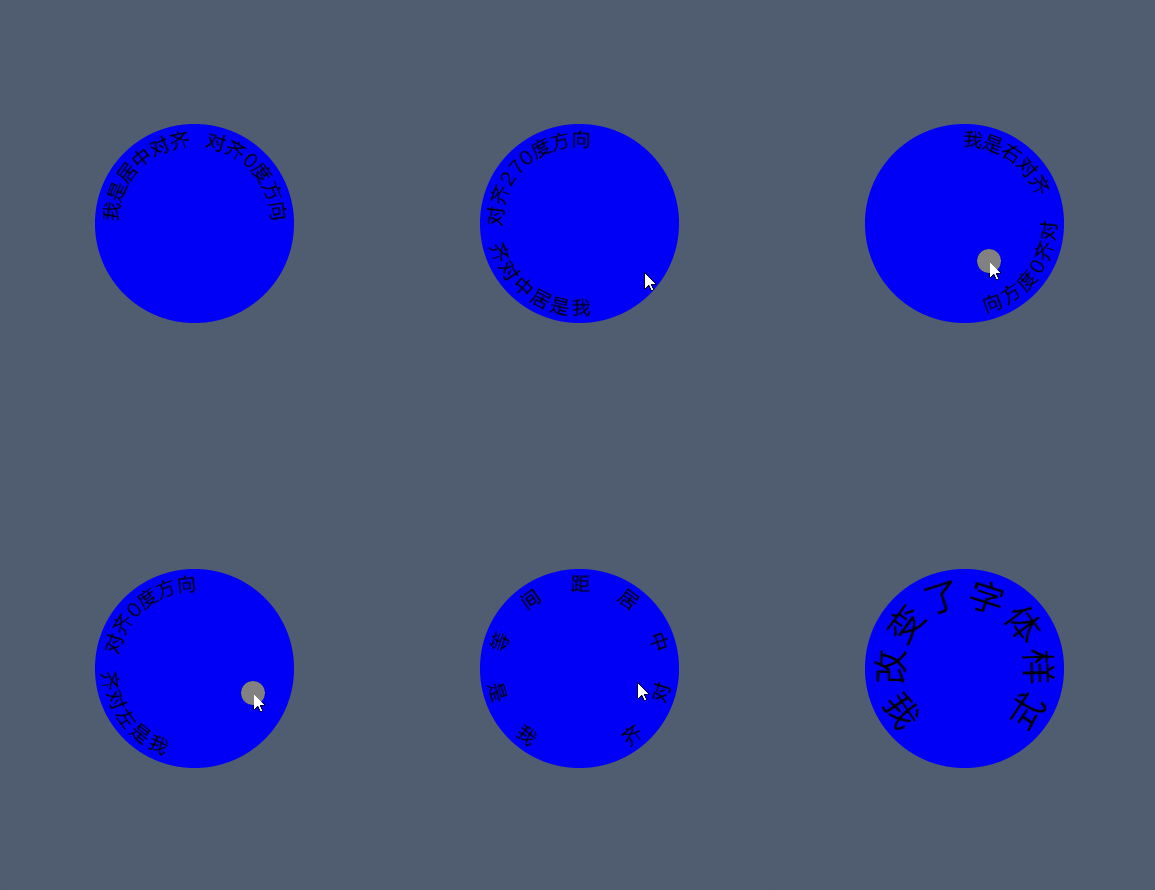
Demo
See Also
Source path:
middleware/lvgl/lvsf/lvsf_curvetext.h