
LVGL v8 scrollbar
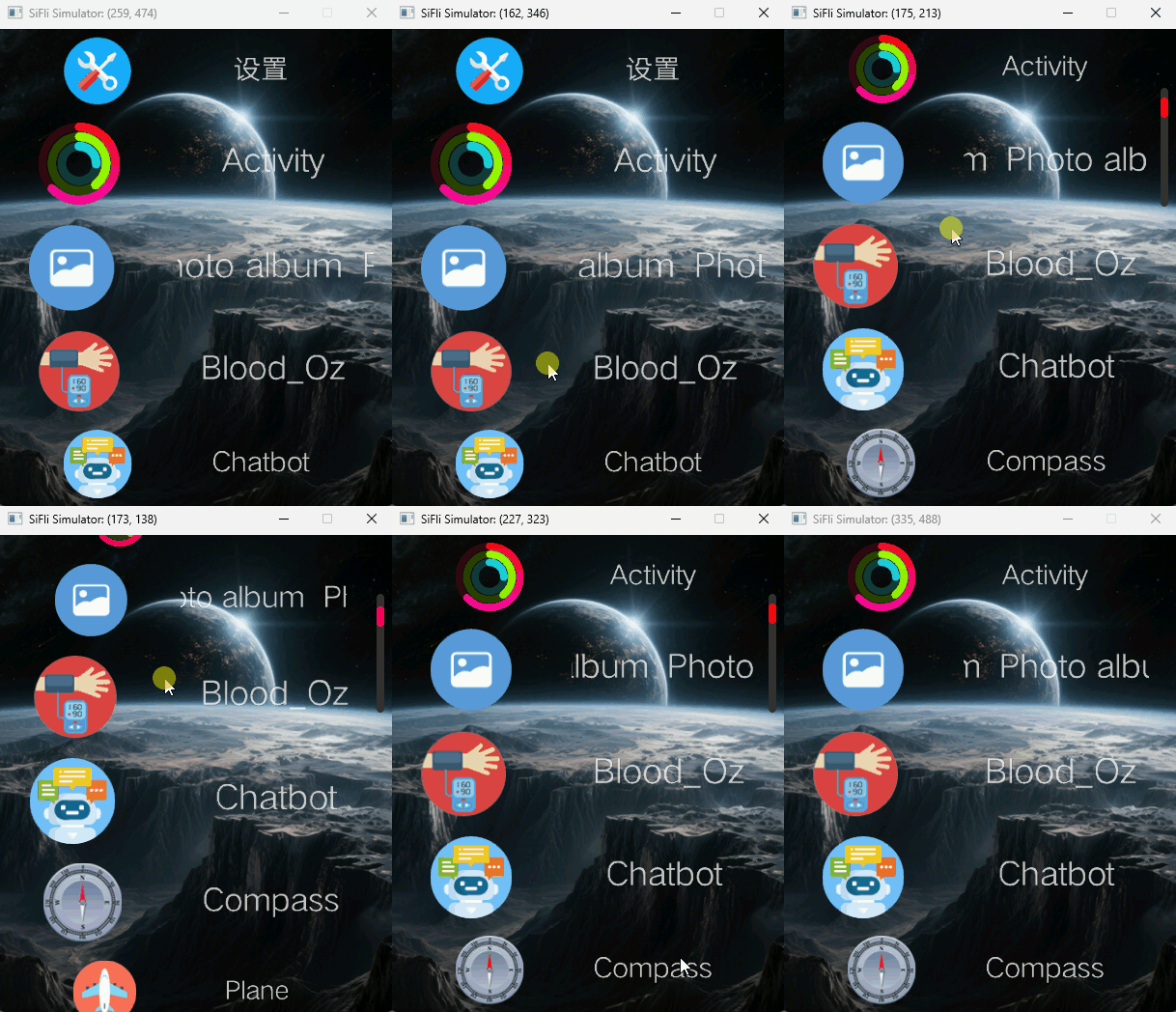
lvsf_scrollbar is the scrollbar (progress bar) plugin that SiFli provides to accompany lvsf_multlist. When multlist is scrolled, it sends the LV_EVENT_LIST_SCROLLBAR event, which carries the current page progress information. Simply create a scrollbar widget and attach it to multlist; it automatically listens to this event and displays the list’s scrolling progress. The progress bar supports two visual styles: circular and long (square).
Main header: middleware/lvgl/lvsf/gui_widgets/lvsf_scrollbar.h
Dependency:
lvsf_multlist
Features
Automatically shows the ratio between the current scroll position and the total content length when multlist is scrolled.
Supports both long (square) and circular styles.
The on-screen hold duration and the disappearance animation duration are configurable.
Can be manually hidden / shown, or set to always visible.
Use Cases
Scrolling progress indication for long lists such as the main menu and card streams.
Interfaces that need a thin progress bar or circular progress indicator along the screen edge.
Supported Boards
scrollbar has no standalone SDK example; it is used as a plugin of multlist, so its runtime environment matches the lvgl_v8_multlist example:
sf32lb52-lcd_n16r8
sf32lb52-lchspi-ulp
Configuration and Initialization
Enable the corresponding component in menuconfig (enabled by default):
CONFIG_LVSF_USE_SCROLLBAR=y
After multlist has been initialized, create the scrollbar with multlist as its parent. multlist must first have the LV_MULTLIST_FLAG_SCROLLBAR flag enabled before it sends progress events while scrolling:
#include "lvsf_scrollbar.h"

/* Enable scrollbar events on multlist */
lv_multlist_add_flag(multlist, LV_MULTLIST_FLAG_SCROLLBAR);

/* Create a long-style scrollbar, parent is multlist */
lv_obj_t *bar = lv_scrollbar_create(multlist, LV_SCROLLBAR_SQUARE_TYPE);

/* Optional: configure the hold and disappearance animation durations (ms) */
lv_scrollbar_set_anim_time(multlist, 1500, 300);
Note
Once multlist is passed as the parent of lv_scrollbar_create(), the scrollbar automatically handles the LV_EVENT_LIST_SCROLLBAR events sent by multlist, so the application normally does not need to call lv_scrollbar_update() manually.
API Reference
The function signatures below are taken verbatim from lvsf_scrollbar.h.
Function |
Description |
Parameters / Returns |
|---|---|---|
|
Create a scrollbar object |
|
|
Update the scrollbar position and display ratio |
|
|
Set the on-screen hold and disappearance animation durations |
|
|
Manually hide / show the scrollbar |
|
|
Set whether to always visible |
|
Typical Usage
Simply create the scrollbar at the end of the multlist initialization flow. Complete example (excerpted from main menu initialization):
lv_obj_t *multlist = lv_multlist_create(lv_scr_act());
/* ... configure multlist size, bezier, spacing, direction, item callback, nodes, alignment ... */

lv_multlist_add_flag(multlist, LV_MULTLIST_FLAG_SCROLLBAR);
lv_scrollbar_create(multlist, LV_SCROLLBAR_SQUARE_TYPE);   /* long progress bar */
For the circular style, change the type to LV_SCROLLBAR_CIRCLE_TYPE:
lv_scrollbar_create(multlist, LV_SCROLLBAR_CIRCLE_TYPE);
Demo
The progress bar updates in real time with the scroll position as the list scrolls:
See Also
Header: middleware/lvgl/lvsf/gui_widgets/lvsf_scrollbar.h
Related widget:
lvsf_multlist(list container)