
LVGL v8 multanim
SiFli SDK provides a set of transition-animation wrappers for scene switching on LVGL v8, consisting of two parts:
multanim widget (
lvsf_multanim.h): wraps common transition animations—zoom, 3D flip, axial compression, mask fade, and more—into a single object. An application only needs to create an instance, set the animation type and the major/minor images, and then drive the animation by updating a progress value in the[0, 1024]range; it does not need to handle per-frame drawing itself.switchanim framework (
lvsf_switchanim.h): an animation scheduling framework for switching between screens (pages). It manages the creation, playback, completion, and callbacks of enter/exit animations, and registers custom animations into a linker section through theBUILTIN_ANIMATIONmacro.
The same animation recurs repeatedly during scene switching (such as APP switching, TLV switching, and watch-face switching). This wrapper centralizes the repeated animation drawing logic, so applications can reuse it through a unified interface.
Features
Wraps multiple transition animations: Zoom, 3D flip (3D), reverse flip with zoom (Switch), half-page flip (Turn), axial compression (Scale), mask fade (Fade), and center-out opening (Open).
Book, Shuttle, and Shutter animations are available only on 58x and later chips (they depend on GPU / VGLite).
Animations are driven by a progress value in
[0, 1024]. They can either be played automatically by LVGL animation (lv_multanim_start_anim()) or advanced frame by frame from touch/gesture input (lv_multanim_set_process()).Supports left and right fade mask resources, which can be loaded from a file path or constructed directly by the application as
lv_img_dsc_t.The switchanim framework uniformly schedules page-switch animations through priority-based overriding and linker-section registration of built-in animations.
Use Cases
Left/right swipe switching between watch/home-app watch faces and APP lists.
Page transitions for multi-list widgets such as TLV (title-list-view).
Enter and exit animations when entering or leaving a secondary page.
Interactive scenarios that require real-time preview of the transition following the finger drag position.
Supported Boards
Refer to the lvgl_v8_multanim example:
sf32lb52-lcd_n16r8
sf32lb52-lchspi-ulp
General: boards from 55x onward (such as 58x, 56x, 52x).
Note
The 3D, Roll, Turn, and Scale animations depend on the GPU (LV_USE_GPU / EPIC); Book, Shuttle, and Shutter depend on VGLite (USING_VGLITE) and are available only on 58x and later chips. Whether a given animation is available depends on the build configuration and board capabilities.
Configuration and Initialization
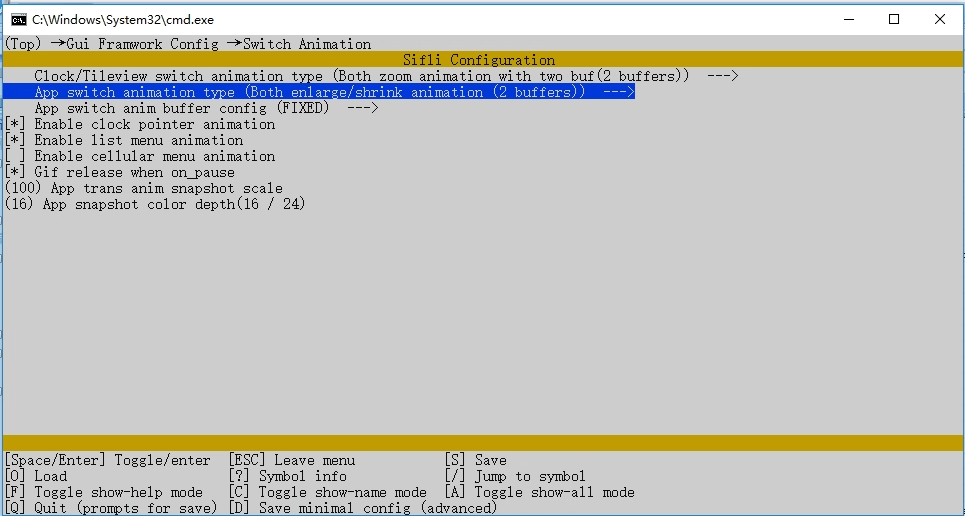
multanim is controlled by the LVSF_USE_MULTANIM switch, which is enabled under LittlevGL2RTT -> SiFli extend in menuconfig. The standard GUI initialization flow completes the switchanim framework initialization (lv_switchanim_init()) inside gui_lib_init(), so applications normally do not need to call it again.
#include "lvsf.h"
#include "lvsf/gui_widgets/lvsf_multanim.h"
#include "lvsf/gui_widgets/lvsf_switchanim.h"
API Reference
multanim widget interface (lvsf_multanim.h)
Function |
Description |
Parameters / Returns |
|---|---|---|
|
Create a multanim animation instance |
|
|
Set the animation type; must be set before starting the animation |
|
|
Set the animation direction |
|
|
Set the major animation image (required) |
|
|
Set the minor animation image |
|
|
Set the animation range |
|
|
Set the start and end viewpoints of the animation |
|
|
Set the start and end zoom values |
|
|
Set the animation progress (core control interface) |
|
|
Set the left and right masks for mask-type animations |
|
|
Get the current animation progress |
Returns the current progress value |
|
Get the major animation image object |
Returns the major image object pointer |
|
Get the minor animation image object |
Returns the minor image object pointer |
|
Read a mask image descriptor by path |
|
|
Free a mask descriptor created by |
|
|
Get the current animation type |
Returns the current animation type |
|
Start an automatically played animation |
|
Animation type enumeration (lv_multanim_type): LV_MULTANIM_NONE, LV_MULTANIM_ZOOM, LV_MULTANIM_3D, LV_MULTANIM_SWITCH, LV_MULTANIM_TURN, LV_MULTANIM_SCALE, LV_MULTANIM_FADE, LV_MULTANIM_OPEN, LV_MULTANIM_ROLL, LV_MULTANIM_DRAG, LV_MULTANIM_BOOK, LV_MULTANIM_SHUTTLE, LV_MULTANIM_SHUTTER.
switchanim framework interface (lvsf_switchanim.h)
Function |
Description |
Parameters / Returns |
|---|---|---|
|
Get the original screen object corresponding to the animation |
Returns the original screen object pointer |
|
Get the animation parameters |
Returns the parameter struct pointer |
|
Get the animation type (enter/exit) |
Returns |
|
Initialize the animation list and load all animations |
Called automatically by the standard startup flow |
|
Load all animations |
No return value |
|
Deinitialize the animation list |
No return value |
|
Register an animation into the list |
Returns the registered animation callback descriptor |
|
Remove an animation by major |
No return value |
|
Override enter/exit animation parameters by priority |
|
|
Create a switchanim instance |
Returns the instance handle; attached to the root screen when |
|
Manually advance animation frames by progress percentage |
Used for gesture-following interactive animations |
|
Manually finish the animation |
|
|
Automatically play the animation |
|
|
Set the animation completion callback |
No return value |
|
Set the easing path for progress growth |
|
|
Set the default animation |
No return value |
|
Find an animation descriptor by major |
Returns the descriptor pointer |
Built-in animations are registered into the switch_anim linker section through the BUILTIN_ANIMATION(anim_name, anim_major, anim_progress_cb) macro.
Typical Usage
Minimum usage flow: create an instance → set the type → set the major/minor images → start playback or update the progress frame by frame.
#include "lvsf/gui_widgets/lvsf_multanim.h"

static lv_obj_t *multanim;

void demo_multanim(void)
{
    lv_obj_t *scr = lv_scr_act();

    /* 1. Create a multanim instance */
    multanim = lv_multanim_create(scr);
    lv_obj_set_size(multanim, lv_disp_get_hor_res(NULL), lv_disp_get_ver_res(NULL));
    lv_obj_center(multanim);

    /* 2. Create the major/minor images */
    lv_obj_t *img1 = lv_img_create(multanim);
    lv_obj_t *img2 = lv_img_create(multanim);
    lv_obj_center(img1);
    lv_obj_center(img2);

    /* 3. Set the animation type, direction, and major/minor images */
    lv_multanim_set_type(multanim, LV_MULTANIM_3D);
    lv_multanim_set_dir(multanim, LV_MULTANIM_HOR);
    lv_multanim_set_major_img(multanim, img1);
    lv_multanim_set_minor_img(multanim, img2);
    lv_multanim_set_zoom(multanim, LV_IMG_ZOOM_NONE, LV_IMG_ZOOM_NONE >> 1);

    /* 4. Auto play: from progress 0 to 1024 over 1000 ms */
    lv_multanim_start_anim(multanim, 1000, 0, 1024, NULL);
}
When manually advancing along a gesture, map the finger offset to [0, 1024] and then call lv_multanim_set_process():
/* offset is the horizontal drag offset, hor_res is the screen width */
int32_t proc = (offset << 10) / hor_res;
lv_multanim_set_process(multanim, proc);
Register a custom 3D switch animation in the switchanim framework:
static void turn3d_anim_progress(lv_baseanim_t *baseanim, lv_obj_t *anim_obj, int32_t progress)
{
    if (LV_BASEANIM_EXIT_TYPE == lv_baseanim_get_type(baseanim))
    {
        /* Create a multanim instance and set its type and major image */
        lv_multanim_set_process(switch_multanim, progress);
    }
    else
    {
        lv_multanim_set_minor_img(switch_multanim, anim_obj);
    }
}

BUILTIN_ANIMATION(turn3Danim, LV_SWITCHANIM_TURN_3D, turn3d_anim_progress);
Demo
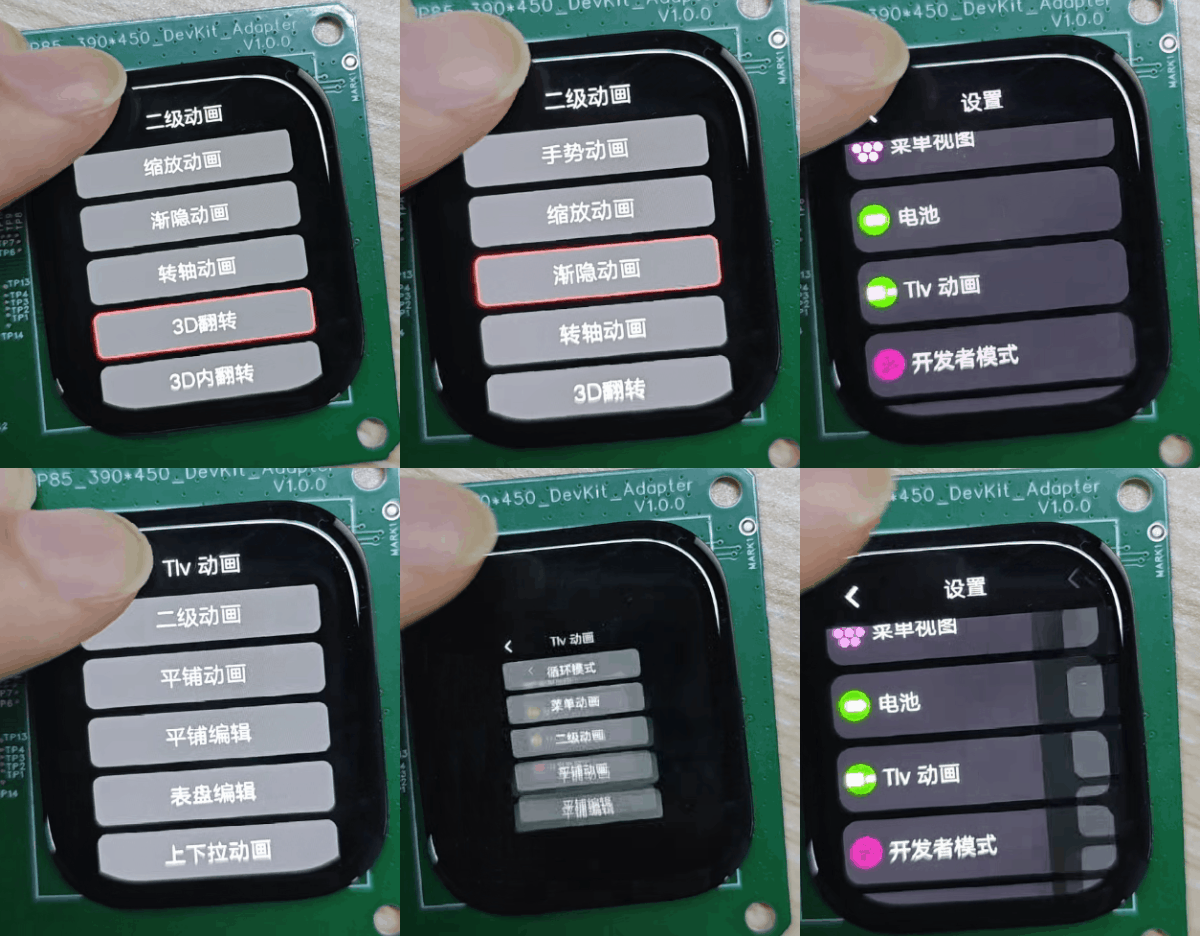
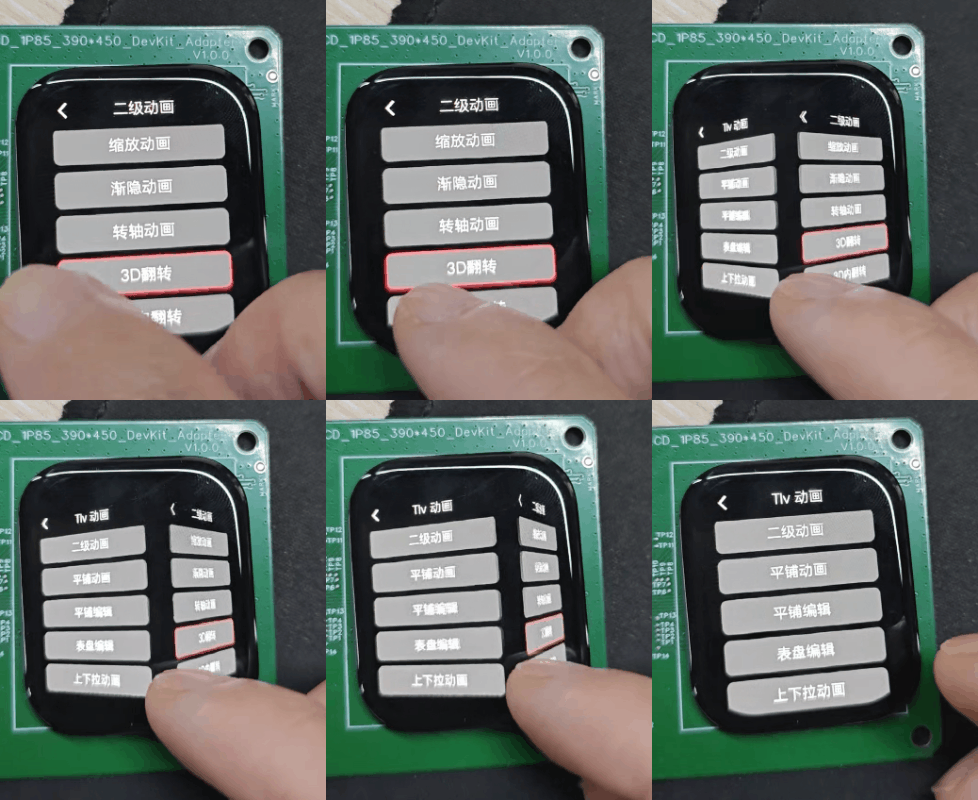

See Also
Source paths:
middleware/lvgl/lvsf/gui_widgets/lvsf_multanim.h,middleware/lvgl/lvsf/gui_widgets/lvsf_switchanim.hExample path:
example/multimedia/lvgl/lvgl_v8_multanim