
Three-Channel Audio Mixer Player
Source path: example/multimedia/audio/mixer
Supported Platforms
Validated on the following platforms:
sf32lb52-lcd_n16r8
sf32lb56-lcd_n16r12n1
Overview
This example demonstrates decoding and mixing three local audio files at the same time. After boot, tthe system automatically mounts the file system and plays three files in the root directory:
/1.mp3
/2.mp3
/3.wav
Mixing pipeline:
Decode each stream independently (MP3 uses libhelix, WAV supports PCM/float, PCM supports 8-bit/16-bit).
If the sample rate is not 48 kHz, resample to 48 kHz first.
Sum three mono PCM streams sample-by-sample and output their average.
How to Use
Hardware Requirements
Before running this example, prepare:
A supported board (see Supported Platforms).
A speaker.
Audio File Preparation
The default disk directory contains three sample files:
1.mp3
2.mp3
3.wav
Note: To fit a fixed partition size, /3.wav can use compressed parameters (for example, 11.025 kHz, 8-bit PCM). The current implementation supports 8-bit PCM and non-48 kHz WAV input.
During build, disk is packed into a file system image and downloaded to the device. At runtime, the application looks for /1.mp3, /2.mp3, and /3.wav in the root directory. If your filenames are different, rename your files or modify file paths in mix_main.
Build and Download
Go to the project directory and build:
scons --board=sf32lb56-lcd_n16r12n1 -j8
After build completes, run the download script:
build_sf32lb56-lcd_n16r12n1_hcpu\uart_download.bat
Expected Result
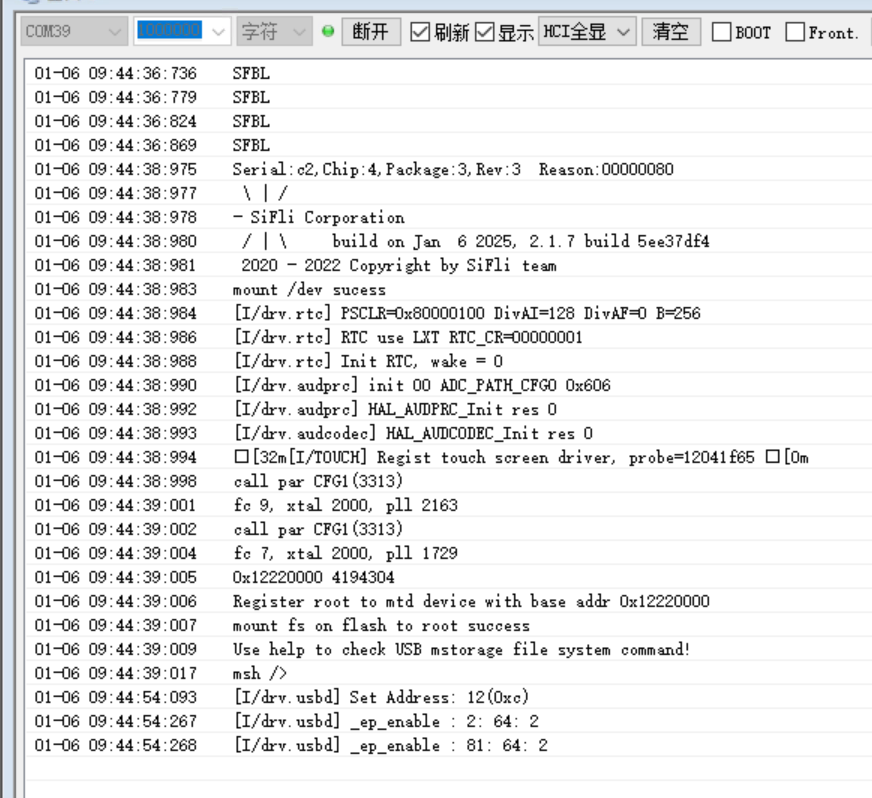
After power-on, the serial log should look similar to:
mount fs on flash to root success
mix 3 example
Directory /:
1.mp3
2.mp3
3.wav
You should hear mixed output from all three audio streams. By default, the example runs for about 50 seconds and then exits the mixing thread.
Reference log:
Troubleshooting
No audio output:
Check whether AUDIO, AUDIO_LOCAL_MUSIC, and board-level audio drivers are enabled.
Check speaker or headset connection.
“open file” failure:
Check whether the file system is mounted successfully.
Check whether target audio files exist in the image and filenames match the code.
References
RT-Thread DFS documentation: https://www.rt-thread.org/document/site/
SiFli SDK quick start documentation: refer to the corresponding section in the SDK docs center.
Change Log
Version |
Date |
Description |
|---|---|---|
0.0.2 |
4/2026 |
Added support for 8-bit PCM and non-48 kHz WAV input, and updated board/build examples in documentation |
0.0.1 |
4/2026 |
Initial version |