
LVGL v8 multswipe
lvsf_multswipe is a swipe-action plug-in that SiFli provides for lvsf_multlist list items. It is not a standalone widget; instead it attaches to a given lv_multlist_item_t and adds a draggable overlay layer on top of that item’s content, implementing the “swipe left / swipe up to reveal a delete button and delete the item” interaction. When the swipe exceeds a threshold, multlist emits the LV_EVENT_SWIPE_DELETE event, and the application performs the data cleanup and UI refresh.
It belongs to the same plug-in system as multlist, multedge, and scrollbar: multlist handles the list body, while multswipe handles the swipe-to-delete gesture of an individual item.
Main header: middleware/lvgl/lvsf/gui_widgets/lvsf_multswipe.h
Dependency:
lvsf_multlist.h
Features
Enables drag-to-delete on a multlist item, supporting three styles: default, with-delete-button, and with-expand-icon.
The visual appearance during a swipe (delete-button width, opacity, icon scaling, etc.) can be customized through
process_cb.The swipe threshold, maximum drag distance (bounce range), and drag direction are configurable.
Supports allowing swipe-to-delete only when the item is aligned (focused).
On deletion, multlist emits the
LV_EVENT_SWIPE_DELETEevent, and the application frees the data accordingly.
Use Cases
In chat / notification / activity-record lists, swipe left to reveal a delete button and remove an entry.
Swipe-deleting items or triggering custom actions in settings and app lists.
Scenarios where the delete button width, opacity, and icon must change dynamically with the swipe distance.
Supported Boards
multswipe has no standalone SDK example; it is used as a multlist plug-in and runs in the same environment as the lvgl_v8_multlist example:
sf32lb52-lcd_n16r8
sf32lb52-lchspi-ulp
Configuration and Initialization
Enable the corresponding component in menuconfig (enabled by default):
CONFIG_LVSF_USE_MULTSWIPE=y
Inside multlist’s item-create callback, call lv_multswipe_enable() for the items that need swipe-to-delete. The returned overlay object should be returned as that item’s content:
#include "lvsf_multswipe.h"

static lv_obj_t *my_item_create_cb(lv_obj_t *parent, lv_multlist_item_t *item)
{
    lv_obj_t *content = lv_obj_create(parent);
    lv_obj_remove_style_all(content);
    lv_obj_set_size(content, item->org_w, item->org_h);
    /* ... place icons, text, and other content on content ... */

    /* Enable default swipe-to-delete; return the overlay object */
    content = lv_multswipe_enable(item, content, LV_MULTSWIPE_STYLE_DEFAULT);
    return content;
}
The application must also listen for multlist’s LV_EVENT_SWIPE_DELETE event and free that item’s data in the callback:
static void multlist_event_cb(lv_event_t *e)
{
    lv_event_code_t code = lv_event_get_code(e);
    lv_obj_t *multlist = lv_event_get_current_target(e);

    if (LV_EVENT_SWIPE_DELETE == code)
    {
        lv_multlist_item_t *item = lv_event_get_param(e);
        if (item && item->info)
        {
            /* Free the application data pointed to by item->info */
        }
        /* Re-align to a neighboring item if needed */
        lv_multlist_focus_near(multlist, 0, false, true);
    }
}
Warning
lv_multswipe_set_del_btn()only takes effect with theLV_MULTSWIPE_STYLE_WITH_BTNstyle;lv_multswipe_set_src()only takes effect with theLV_MULTSWIPE_STYLE_WITH_EXPANstyle. Calls with the non-matching style have no effect.When deleting an item, release the overlay, delete button, and other related objects in step to avoid memory leaks.
After
lv_multswipe_enbale_focus()is enabled, swipe-to-delete is allowed only when the item is aligned (focused).
API Reference
The function signatures below are taken verbatim from lvsf_multswipe.h.
Function |
Description |
Parameters / Returns |
|---|---|---|
|
Enables drag-to-delete for an item by adding a swipe overlay |
|
|
Sets the drag-progress callback to customize the visual appearance during swiping |
|
|
Sets the clickable delete button ( |
|
|
Sets the delete icon resource ( |
|
|
Allows swipe-to-delete only when the item is aligned (focused) |
|
|
Sets the swipe-to-delete threshold |
Dragging beyond this distance triggers deletion |
|
Sets the maximum distance the item can be dragged (bounce range) |
|
|
Sets the drag direction |
|
Typical Usage
Default Swipe-Left / Swipe-Up Delete
In the item-create callback, call lv_multswipe_enable() with the default style:
if (need_swipe_delete)
    item_cont = lv_multswipe_enable(item, item_cont, LV_MULTSWIPE_STYLE_DEFAULT);
Demo
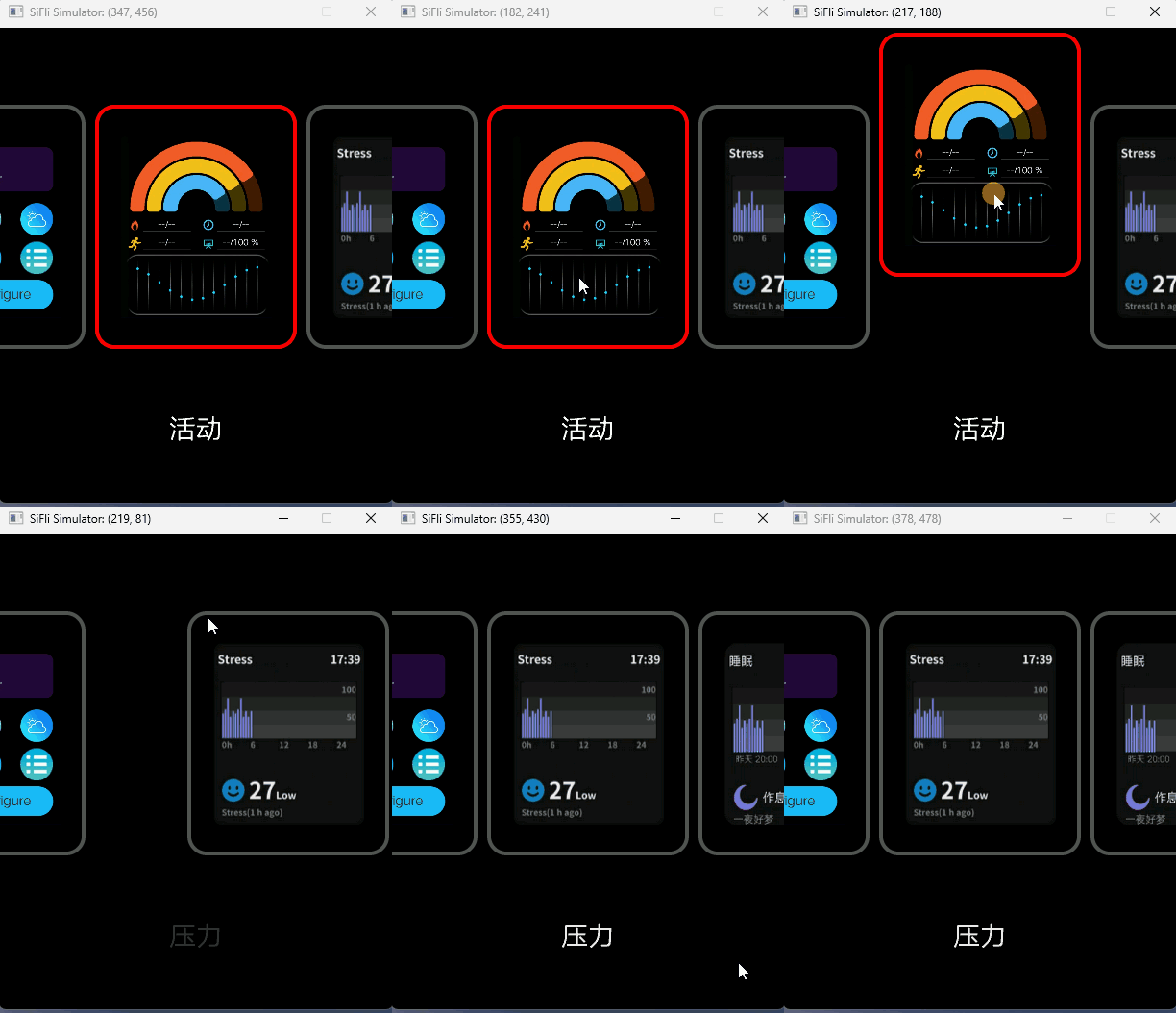
Default swipe-to-delete:
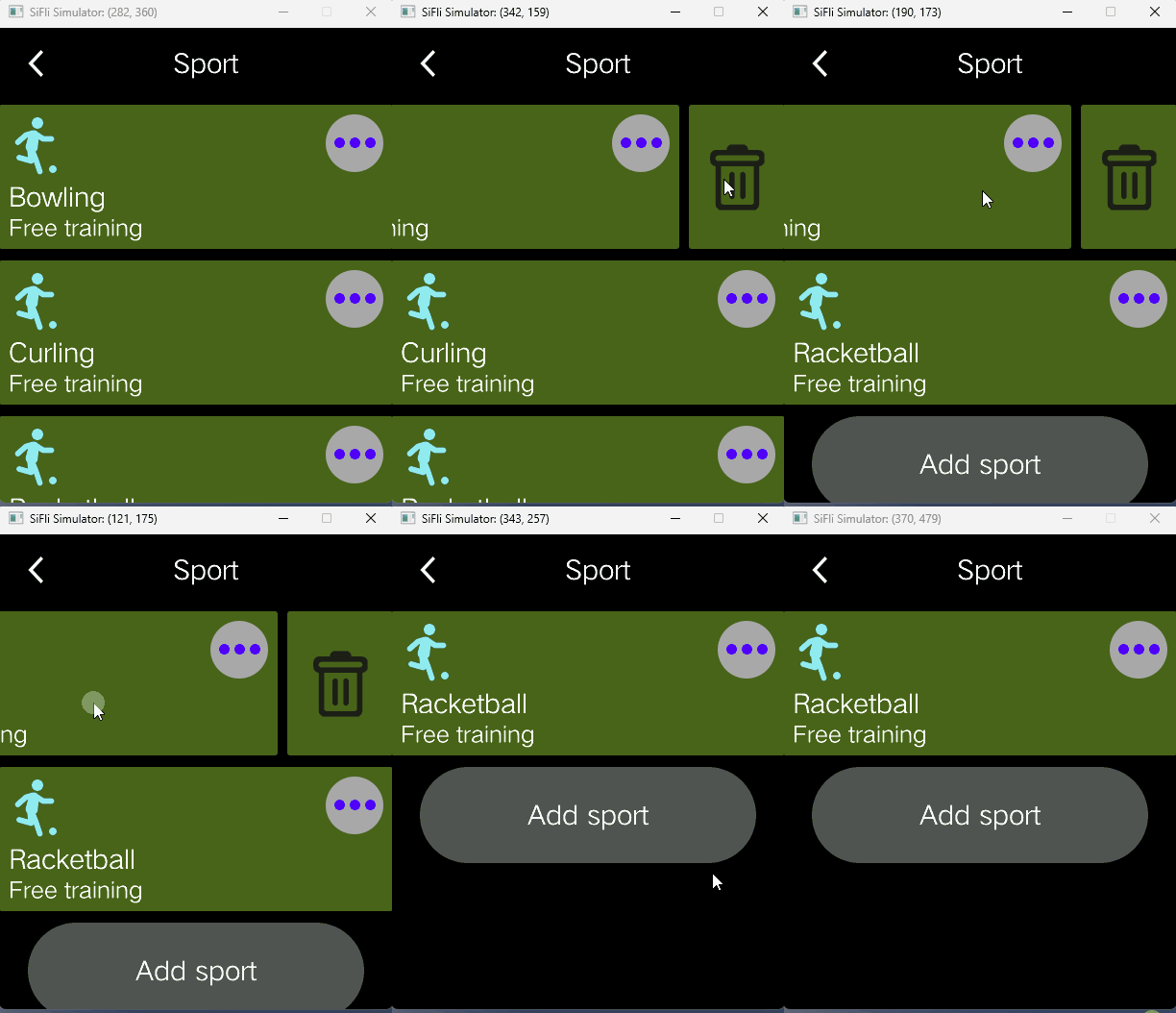
With delete-button style (the delete button is revealed as you swipe):
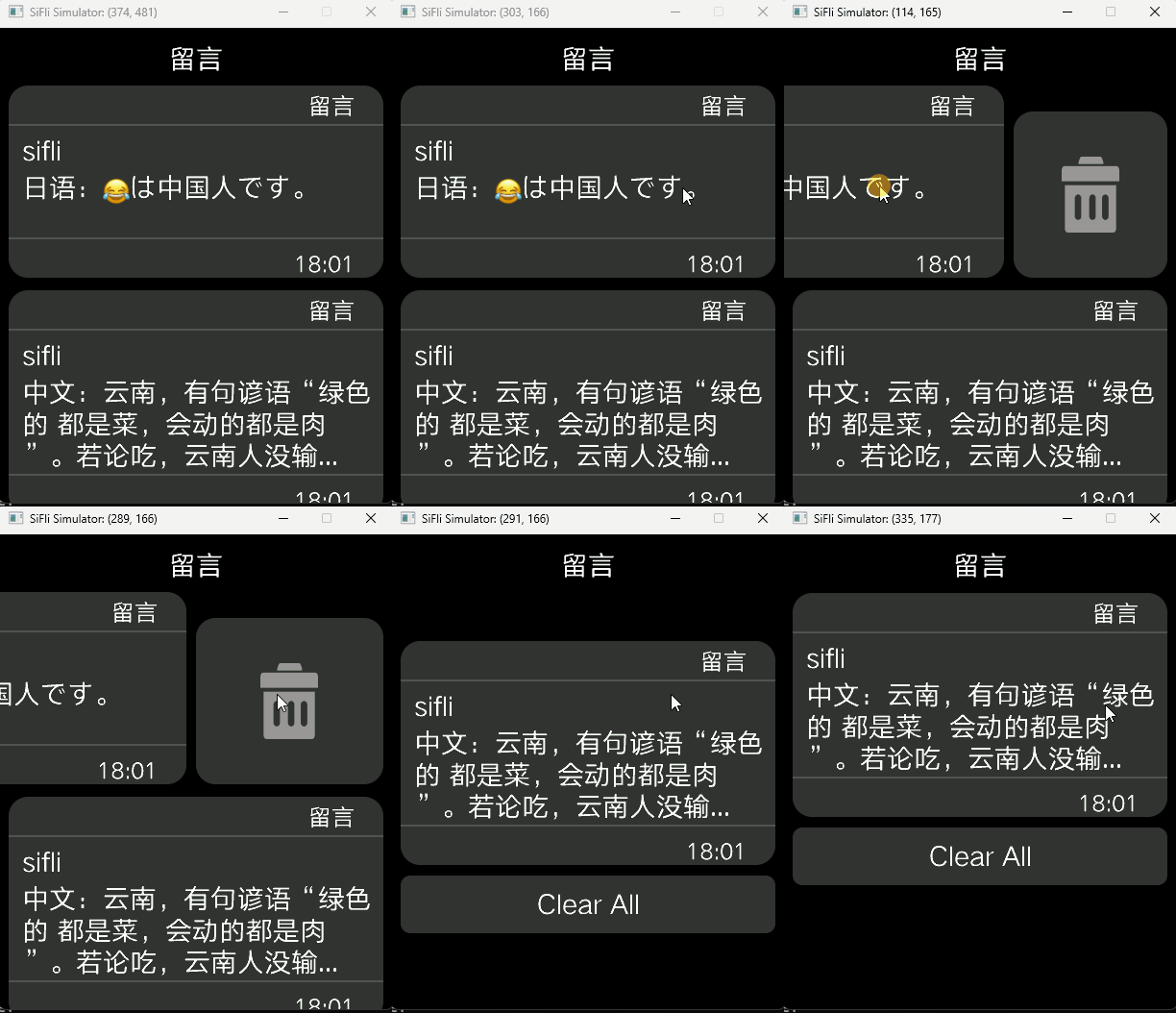
Message-list deletion style:
See Also
Header: middleware/lvgl/lvsf/gui_widgets/lvsf_multswipe.h
Related widgets:
lvsf_multlist(list container),lvsf_multedge(edge interaction),lvsf_scrollbar(scrollbar)