
LVGL v8 apng (ezipa)
SiFli SDK implements APNG (animated PNG) parsing, playback, and control on LVGL v8 based on the lvsf_ezipa component, with the corresponding header lvsf_ezipa.h. It suits frame-sequence animation scenes composed of images with transparency. The widget can decode APNG frames and play them automatically at the frame interval, and supports pause, resume, loop count, zoom, opacity, and a playback-completion callback.
Note
The lv_ezipa_* interfaces are not defined in the solution/framework/gui_widget directory. The current implementation is located in the SDK at middleware/lvgl/lvsf/lvsf_ezipa.h and is controlled by the USING_EZIPA_DEC switch.
Features
Parses and plays APNG (animated PNG) frame-sequence animation, supporting frame transparency.
Supports pause / resume / delayed-resume playback.
Supports setting the loop count (infinite loop / play once / play N times).
Supports forcibly setting the frame interval, zoom ratio, and opacity.
Supports a playback-completion callback and multi-file selective playback based on a prefix (NAND file system).
Use Cases
Frame-sequence animation with an alpha channel (such as loading animations and animated icons).
One-shot animations that need to loop and trigger a callback on completion.
Animations that need to synchronize play/pause control on page resume/pause.
Supported Boards
Any platform supported by the general LVGL v8 examples, and any board from 55x onward (such as 58x, 56x, 52x). Enable USING_EZIPA_DEC in menuconfig.
Configuration and Initialization
APNG playback is controlled by the USING_EZIPA_DEC switch, which is enabled in menuconfig. Bit depth supports 16-bit (RGB565) and 24-bit (RGB888).
#include "lvsf/lvsf_ezipa.h"
Playback status enumeration (lv_ezipa_status_t): LV_EZIPA_STOP (stopped), LV_EZIPA_CURR (current frame), LV_EZIPA_NEXT (next frame).
API Reference
The interface signatures below are taken verbatim from middleware/lvgl/lvsf/lvsf_ezipa.h:
Function |
Description |
Parameters / Returns |
|---|---|---|
|
Create an APNG playback widget |
|
|
Set the APNG file source path |
|
|
Set the APNG playback background layer |
|
|
Pause APNG playback |
No return value |
|
Resume APNG playback |
No return value |
|
Resume playback after a delay |
|
|
Set the playback loop count |
|
|
Set the playback-completion callback |
|
|
Forcibly set the frame playback interval |
|
|
Set the APNG zoom ratio |
|
|
Set the APNG opacity |
|
|
Select the prefix index to play |
Only valid when a select prefix is set |
|
Set multi-file prefix playback |
Only supports the NAND file system; |
Typical Usage
Create an APNG widget, set the source and background layer, and synchronize play/pause within the page lifecycle:
static lv_obj_t *p_apng = NULL;

static void apng_play_end_cb(lv_obj_t *ezipa)
{
    rt_kprintf("play end.\n");
}

static void on_start(void)
{
    p_apng = lv_ezipa_create(lv_scr_act());
    lv_ezipa_set_src(p_apng, APP_GET_IMG(apng));
    lv_ezipa_set_surface(p_apng, APP_GET_IMG(apng_thum));
    lv_ezipa_set_interval(p_apng, 50);
    lv_obj_center(p_apng);
}

static void on_resume(void)
{
    lv_ezipa_resume(p_apng);
}

static void on_pause(void)
{
    lv_ezipa_pause(p_apng);
}
Note
The playback-completion callback is invoked only in non-loop mode. The default loop_times = -1 is an infinite loop, in which case the play_end callback is not triggered.
Demo
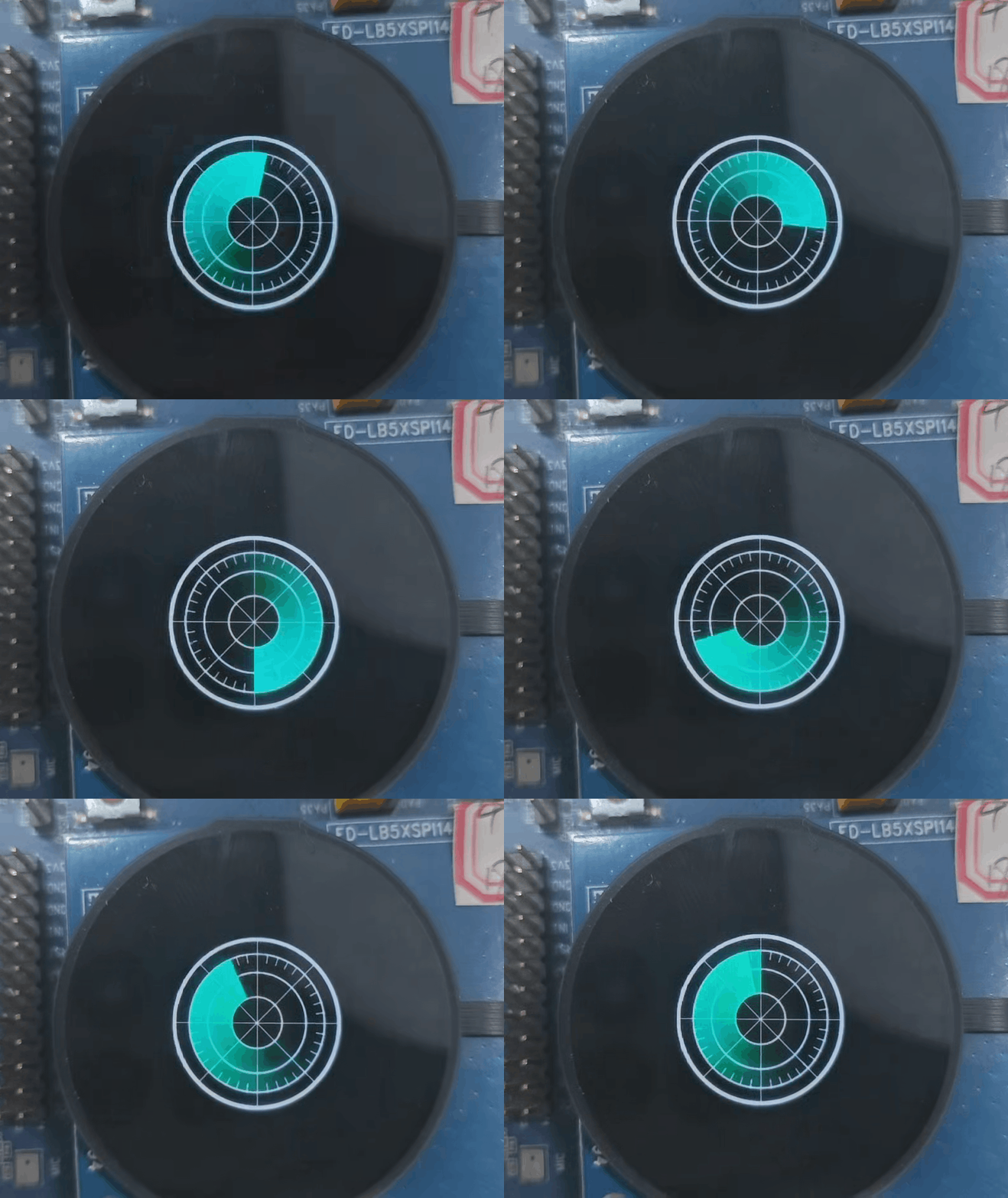
Notes
The file extension of an APNG assembled from frame-sequence images is still
.png.Loop count:
-1infinite loop (default);0plays once;>0plays the set number of times.The playback-completion callback is only valid in non-loop mode.
See Also
Source path:
middleware/lvgl/lvsf/lvsf_ezipa.h